SMB walkthrough: AEO for manufacturers and exporters
Who this is for: a small-to-mid manufacturer that sells two ways: wholesale/export to distributors and retailers, and direct to consumers online. If AI answer engines are the new front door for both a procurement manager overseas and a home buyer searching “best solid wood dining table,” this walkthrough is for you. For the strategic overview first, see Zicy for Small and Mid-Sized Businesses.
This walkthrough follows one real setup, screen by screen, so you can see what the product actually returns rather than a description of it.
Step 1: Create your brand profile
Section titled “Step 1: Create your brand profile”From Select Brand → Add Profile, the exporter’s website URL was pasted in and “Analyze” was run. Zicy crawled the site and pre-filled the entire profile automatically: brand name, industry, product list, target audience, brand tone, and writing style, all in the business’s own words. In this run, a Malaysian solid-wood furniture exporter, the auto-fill correctly identified:
- Industry: “Home furniture manufacturer, wholesaler and exporter”
- Products: Dining room furniture, Living room furniture, Bedroom furniture, Occasional/accent furniture, Kitchen furniture
- Primary Location: Malaysia, with Secondary Location: Australia auto-detected from the site’s own export and market language
- Brand Tone: “Elegant, professional, reliable and trade-focused”
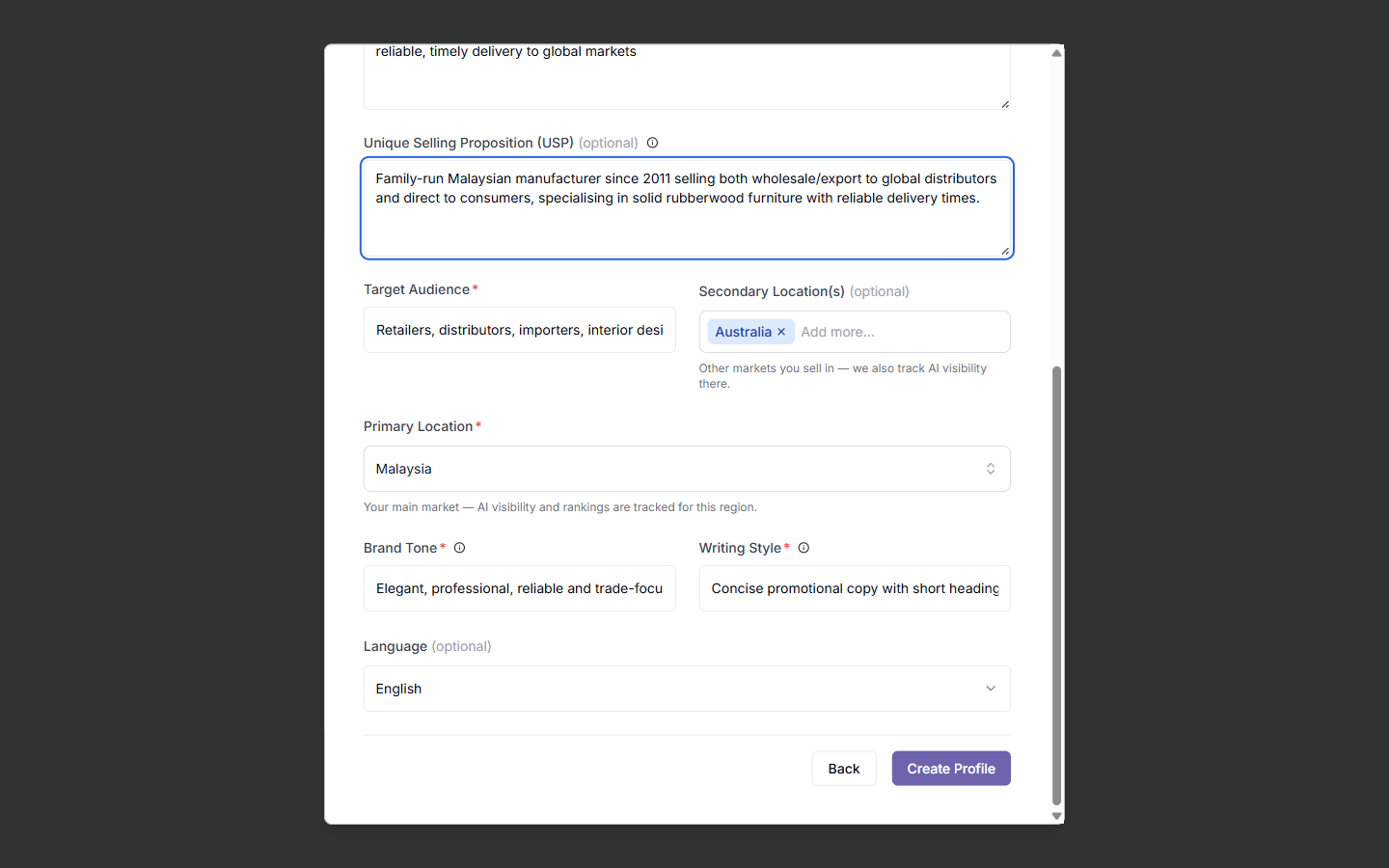
The Unique Selling Proposition field was left blank by auto-fill and needed to be filled in by hand. It is the one field that captures what makes the business different (for example, “family-run since 2011, both wholesale export and direct consumer sales”), and it shapes every prompt, article, and fact-check Zicy generates downstream.
Step 2: Run your Site Audit
Section titled “Step 2: Run your Site Audit”The onboarding checklist’s first step scans the site for technical AI readiness: sitemap, robots.txt, llms.txt, HTTPS, and page speed (mobile and desktop). This is a real, live crawl, not an estimate. For Site Audit, the real result was: Overall Health Score 45.8/100, Sitemap “Bad” (none found), Robots.txt “Good” (AI traffic allowed), LLMs.txt “Bad” (missing), HTTPS “Grade A,” Page Speed 78% mobile / 96% desktop.
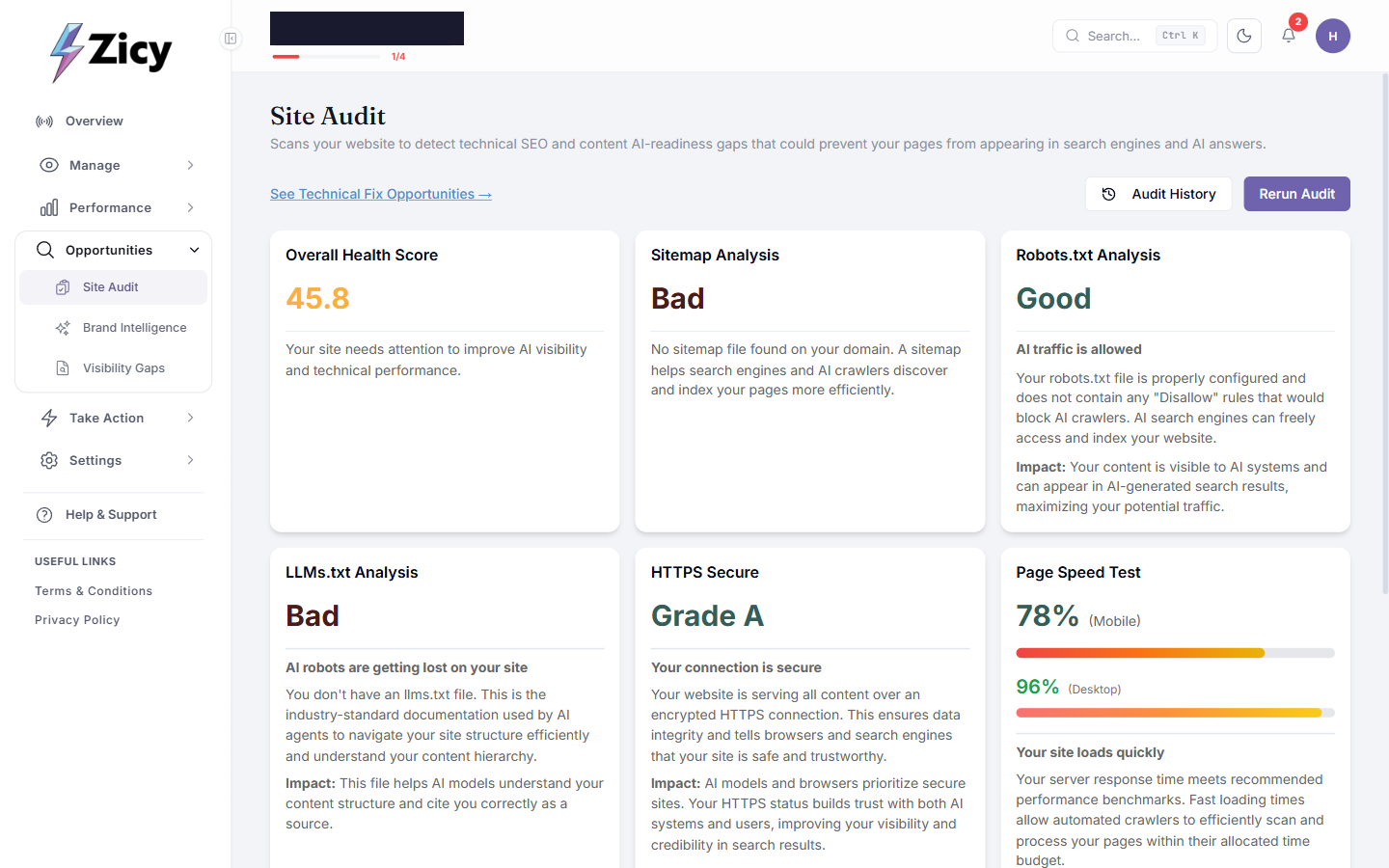
For an exporter, a missing sitemap or llms.txt does not just hurt Google SEO. It is specifically why AI engines may guess wrong about export capabilities, minimum order sizes, or certifications instead of reading them from the site.
Step 3: Set up your tracked prompts (the most important step)
Section titled “Step 3: Set up your tracked prompts (the most important step)”In Prompt Manager → Manage Prompt → Generate More Prompt, Zicy wrote roughly ten to fifteen buyer-intent prompts from the brand profile automatically. Fifteen were auto-generated for the exporter, including “Which manufacturer specializes in rubberwood furniture for export to Australia?” and “Who is the best supplier for contract furniture in Australia?”
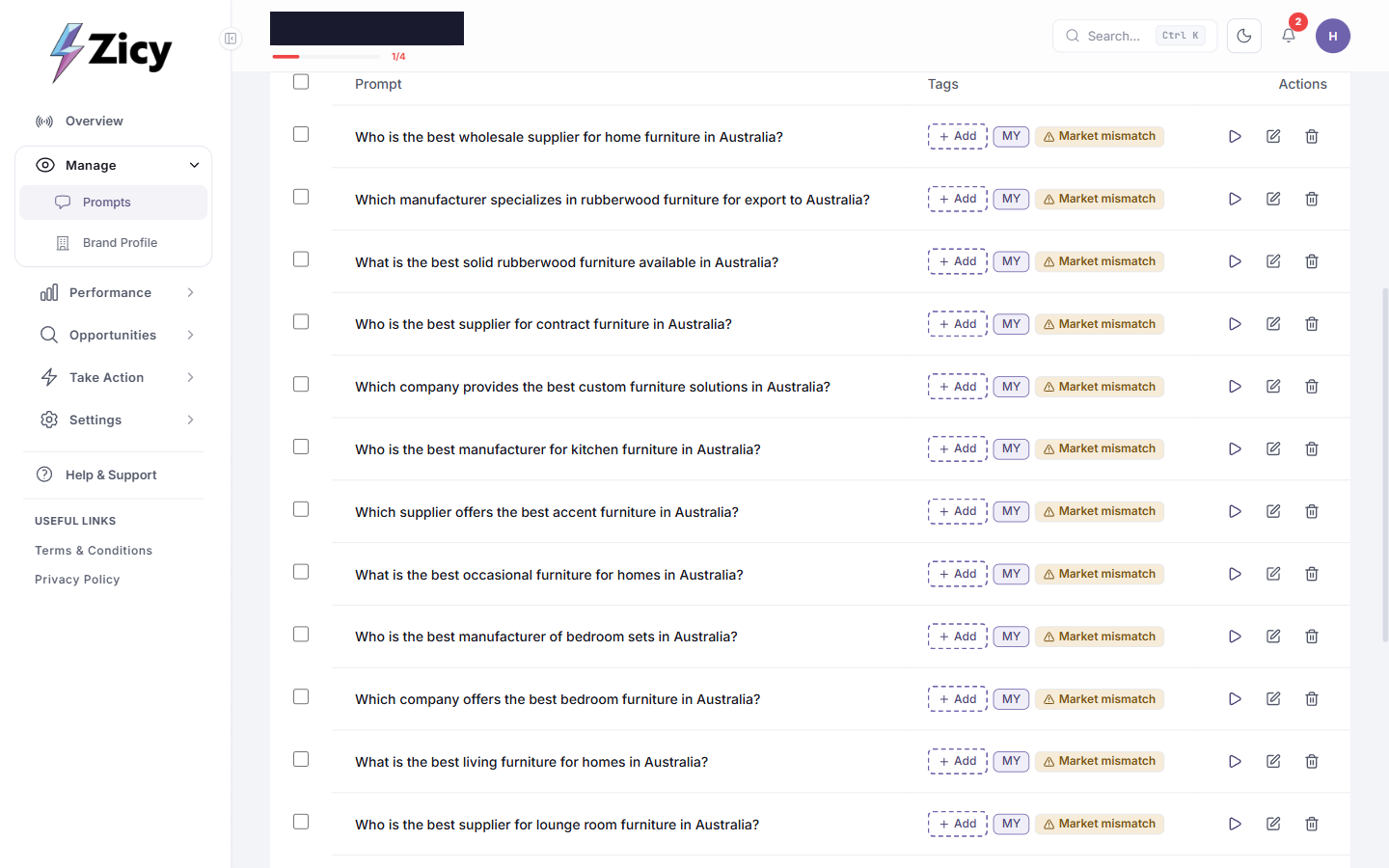
A real finding worth knowing: because this brand had a Secondary Location (Australia) set, every single one of the fifteen auto-generated prompts targeted Australia and was flagged “Market mismatch.” None covered the Primary Location (Malaysia) at all. If a business sells into more than one market, the auto-generated list should not be assumed to balance them. Check the location tag on each prompt, and use “+ Add custom Prompt” to add prompts for the home market too. See how to write tracked prompts that actually work for more on building a balanced list.
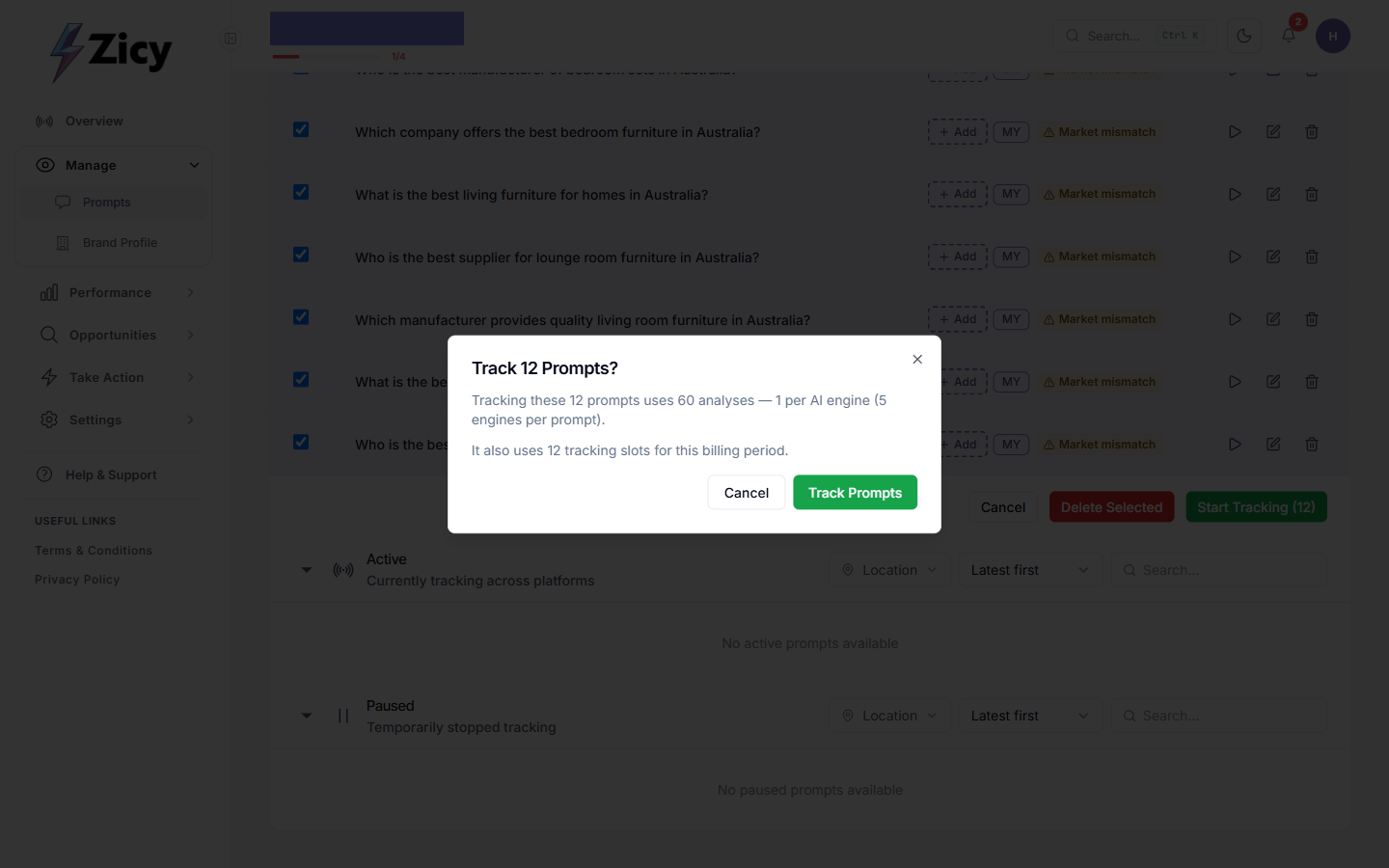
The prompts to track were ticked, “Start Tracking” was clicked, and Zicy showed exactly what it would cost before confirming: “Tracking these 12 prompts uses 60 analyses — 1 per AI engine (5 engines per prompt). It also uses 12 tracking slots for this billing period.”
The rule that matters most: a good tracked prompt is one a real buyer with no brand in mind would type, such as “best wholesale supplier for home furniture in Australia,” not “what is solid wood furniture?” (too educational, no brand gets named) and not “tell me about [your brand]” (inflates every number).
Step 4: Read your AI Visibility Dashboard
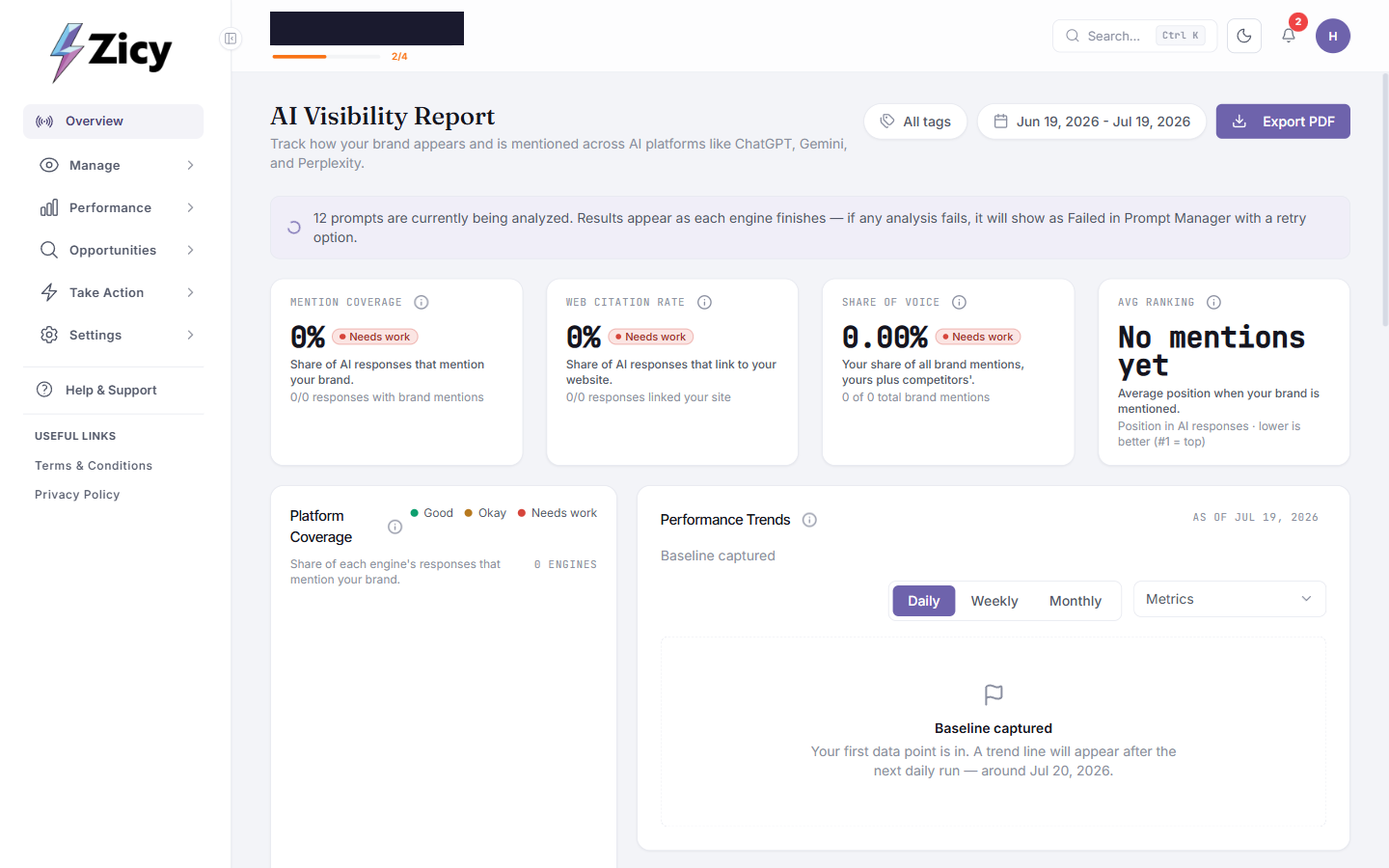
Section titled “Step 4: Read your AI Visibility Dashboard”Right after tracking started, the dashboard showed 0% across every metric with a “Needs work” tag. This is normal; it is not a bad score, it simply means no data yet. A banner read “N prompts are currently being analyzed. Results appear as each engine finishes.” Results populated progressively over the following minutes and hours, not instantly.
Step 5: Use the Action Center toolbox
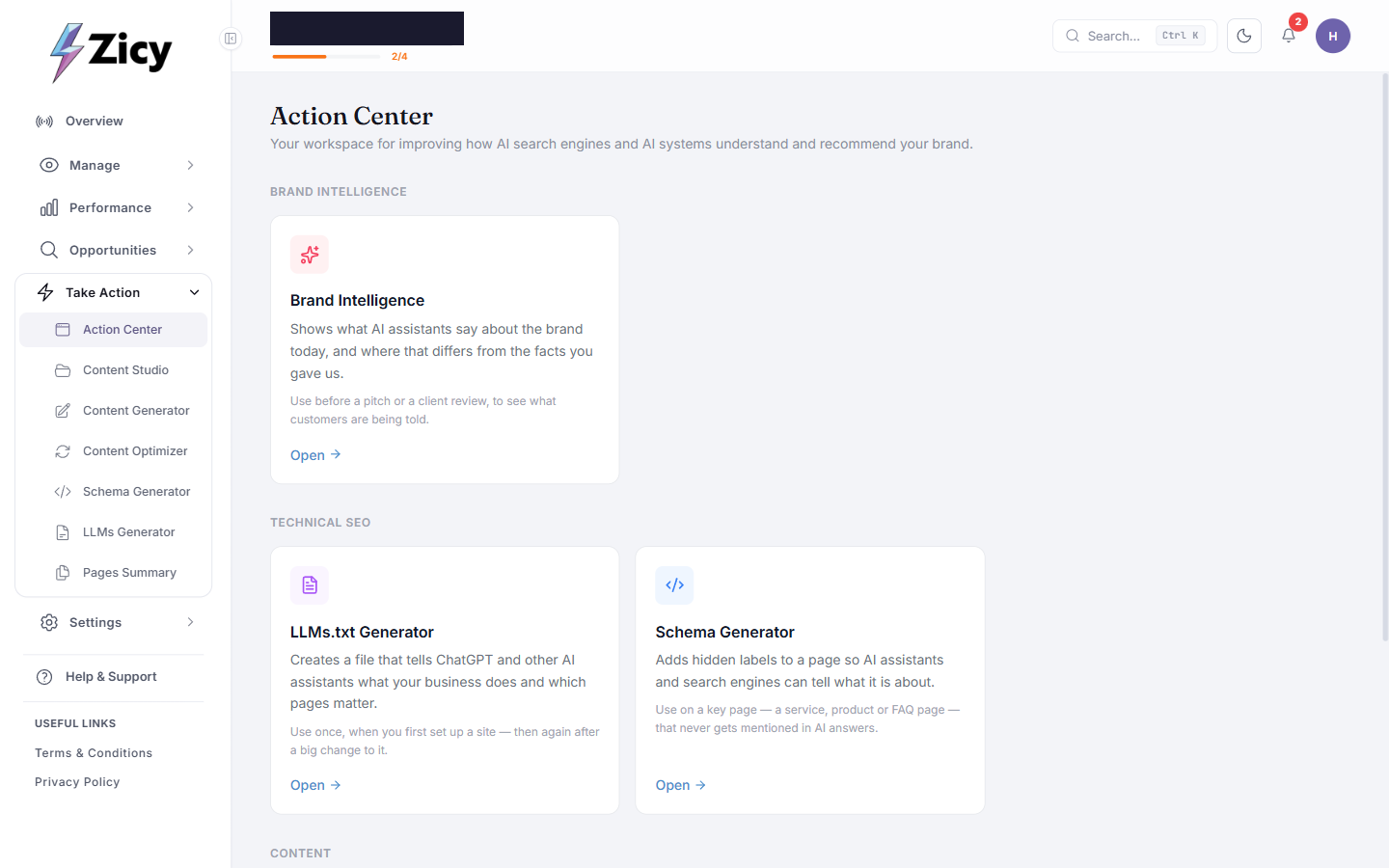
Section titled “Step 5: Use the Action Center toolbox”Action Center groups every tool by purpose: Brand Intelligence, LLMs.txt Generator, Schema Generator, Article Writer, Content Optimiser, Pages Summary.
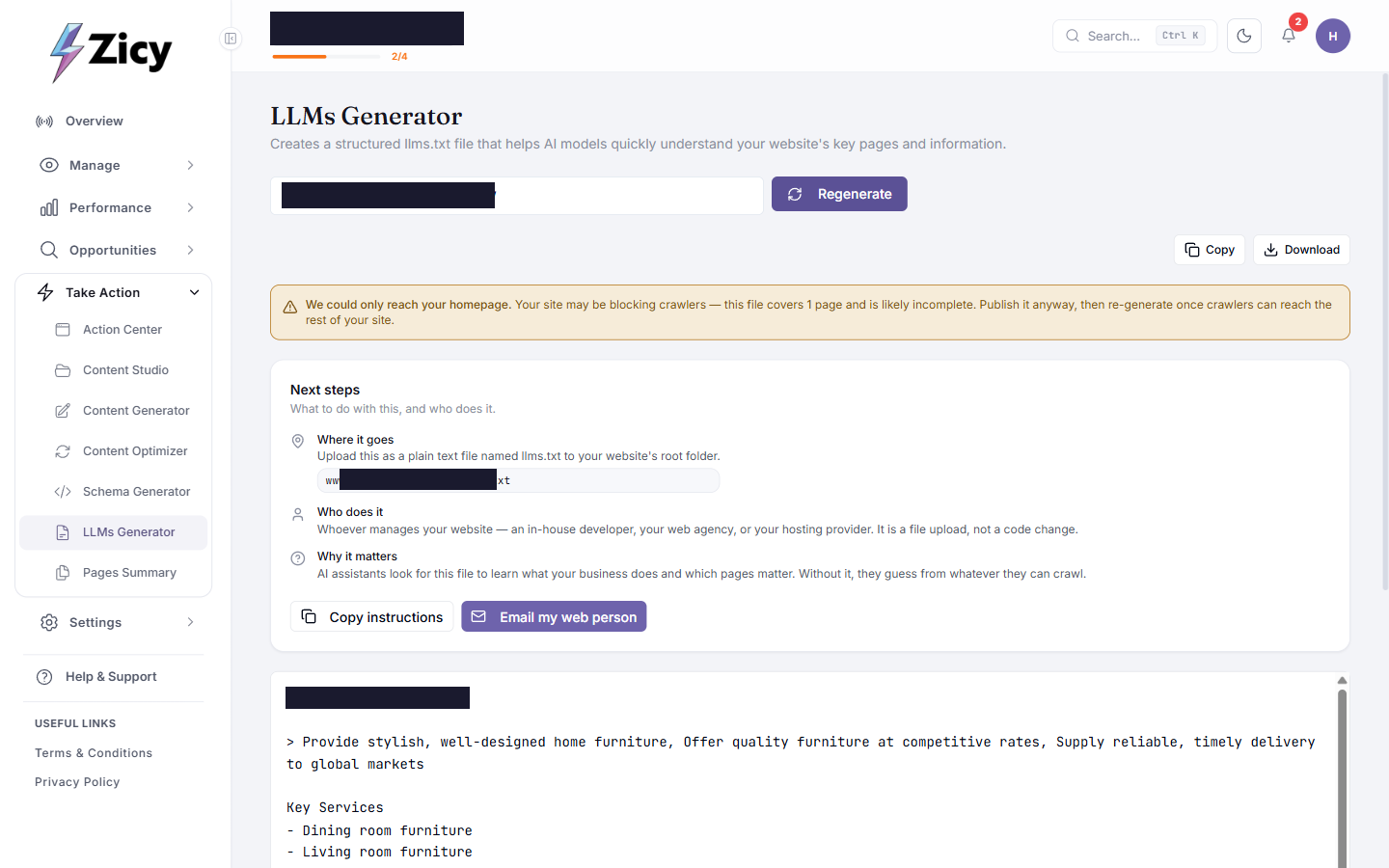
The LLMs.txt Generator produced real output in one click. In this run it correctly flagged an honest limitation: “We could only reach your homepage. Your site may be blocking crawlers — this file covers 1 page and is likely incomplete. Publish it anyway, then re-generate once crawlers can reach the rest of your site.” Every generated file came with a plain-English “Next steps” panel: where it goes (upload as yoursite.com/llms.txt), who does it (“whoever manages your website — no developer needed, it’s a file upload not a code change”), and a one-click “Email my web person” button.
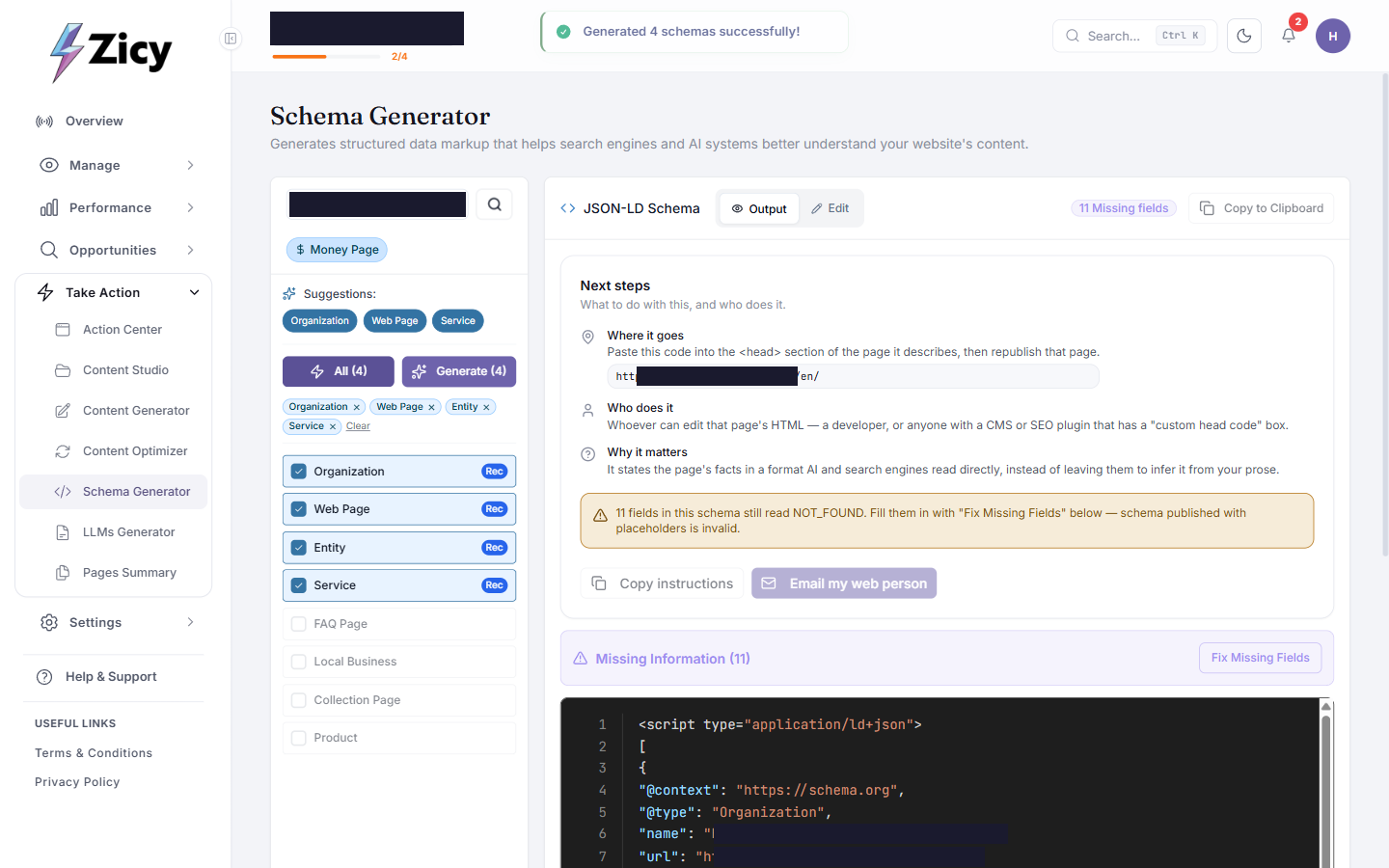
The Schema Generator took a key page URL and suggested which schema types to add. In this run: Organization, Web Page, Entity, Service, all auto-recommended, and it generated real JSON-LD to paste into the page’s head. It was honest here too, flagging: “11 fields in this schema still read NOT_FOUND. Fill them in with ‘Fix Missing Fields’ below — schema published with placeholders is invalid.” That step should not be skipped.
The Content Generator (Article Writer) is where an exporter with no in-house content writer gets real leverage. A Topic and Content Direction were entered (for example, “write for overseas wholesale buyers, cover MOQ, lead times, and export documentation”), using Step-by-Step mode:
-
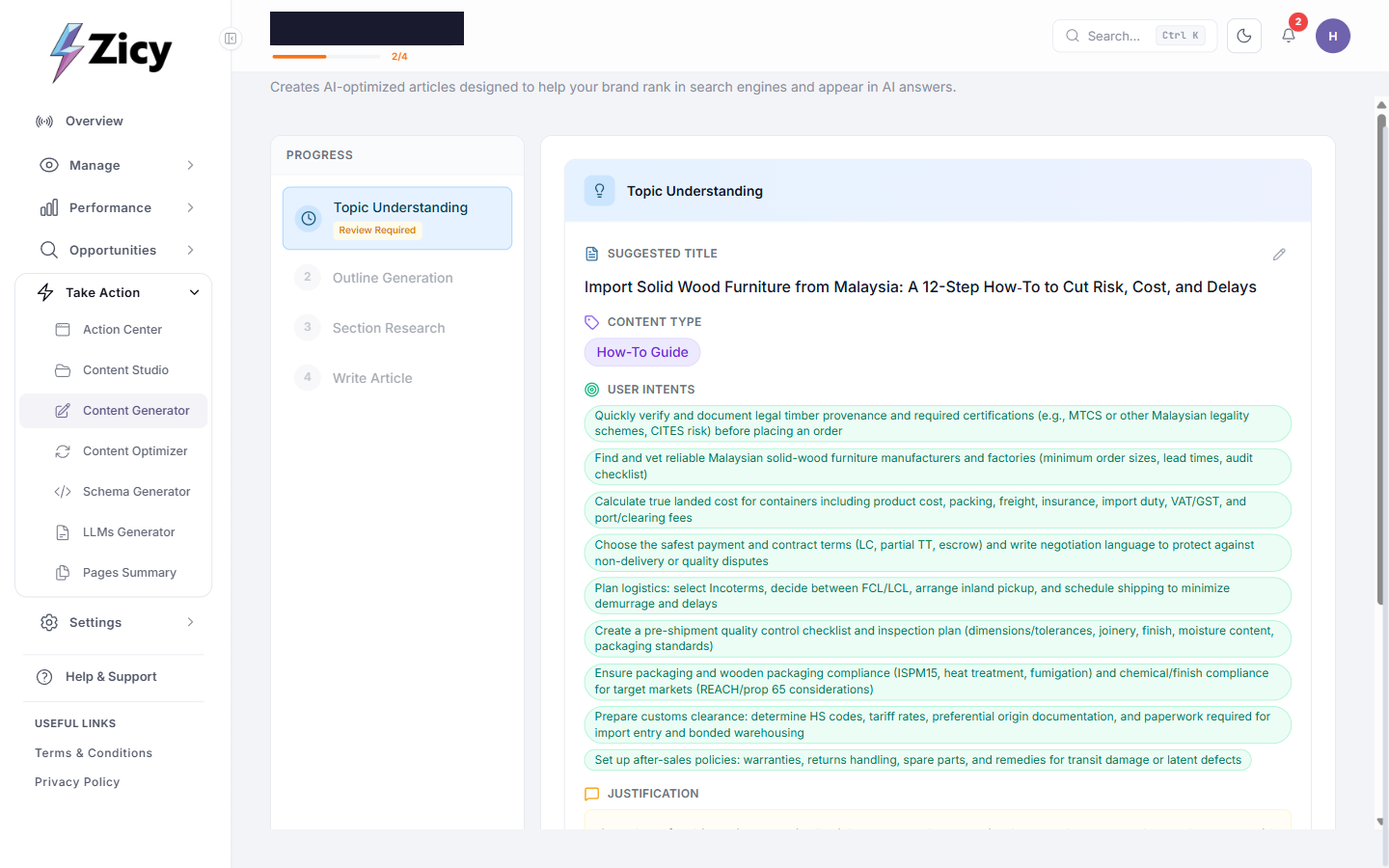
Topic Understanding: Zicy proposed a title and a list of real buyer questions the article should answer. This run correctly surfaced export-specific concerns: CITES and timber legality documentation, MOQ, landed cost, Incoterms, ISPM15 packaging compliance, and HS codes.
-
Outline Generation: a structured, section-by-section outline with internal-linking suggestions was produced, ready to approve, edit, or regenerate.
-
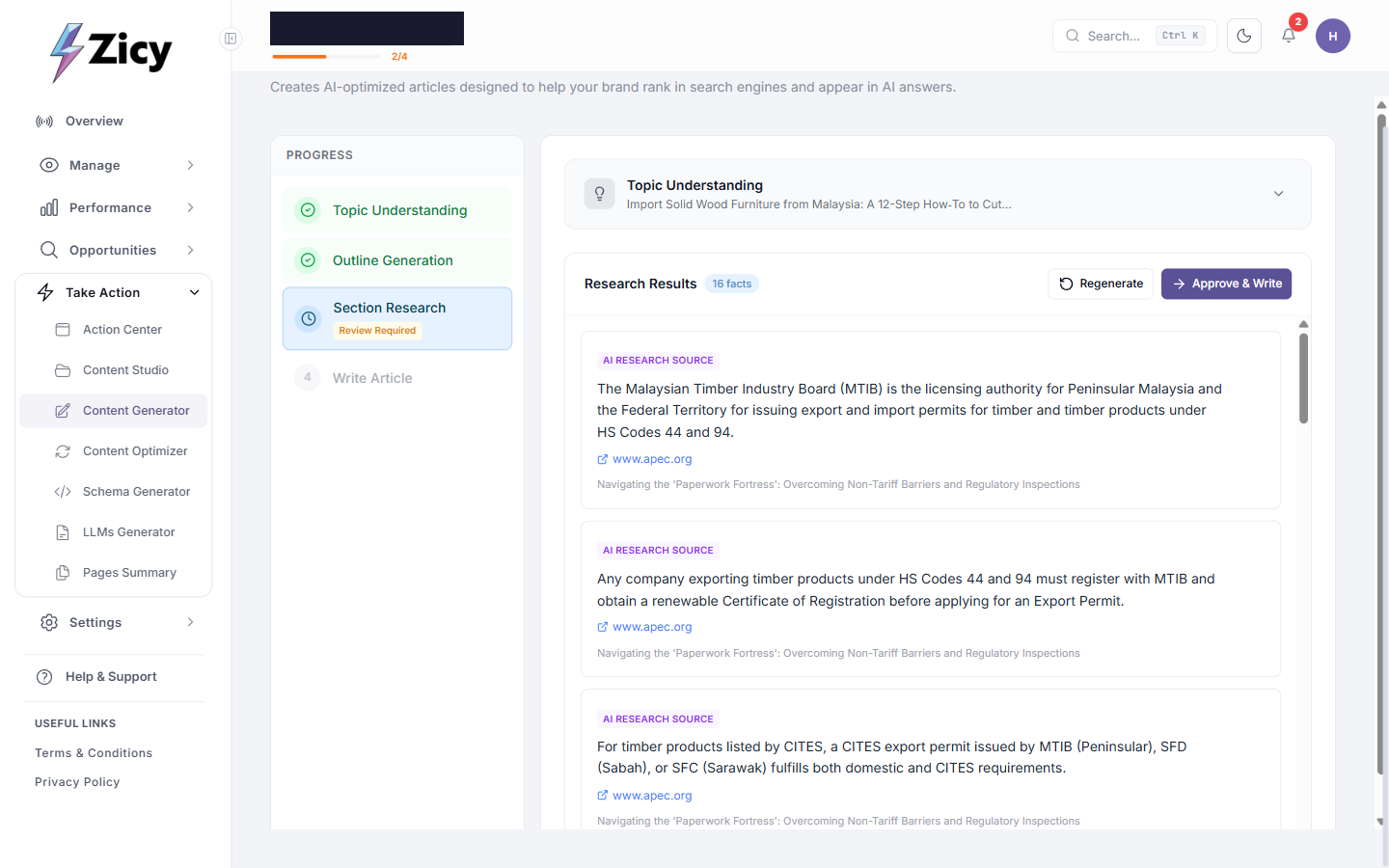
Section Research: Zicy fetched real facts with clickable source links, not invented statistics. This run returned “16 facts,” each with a live link, for example to apec.org for MTIB export-registration requirements. This is the step to actually verify before publishing; a few links are worth clicking through.
-
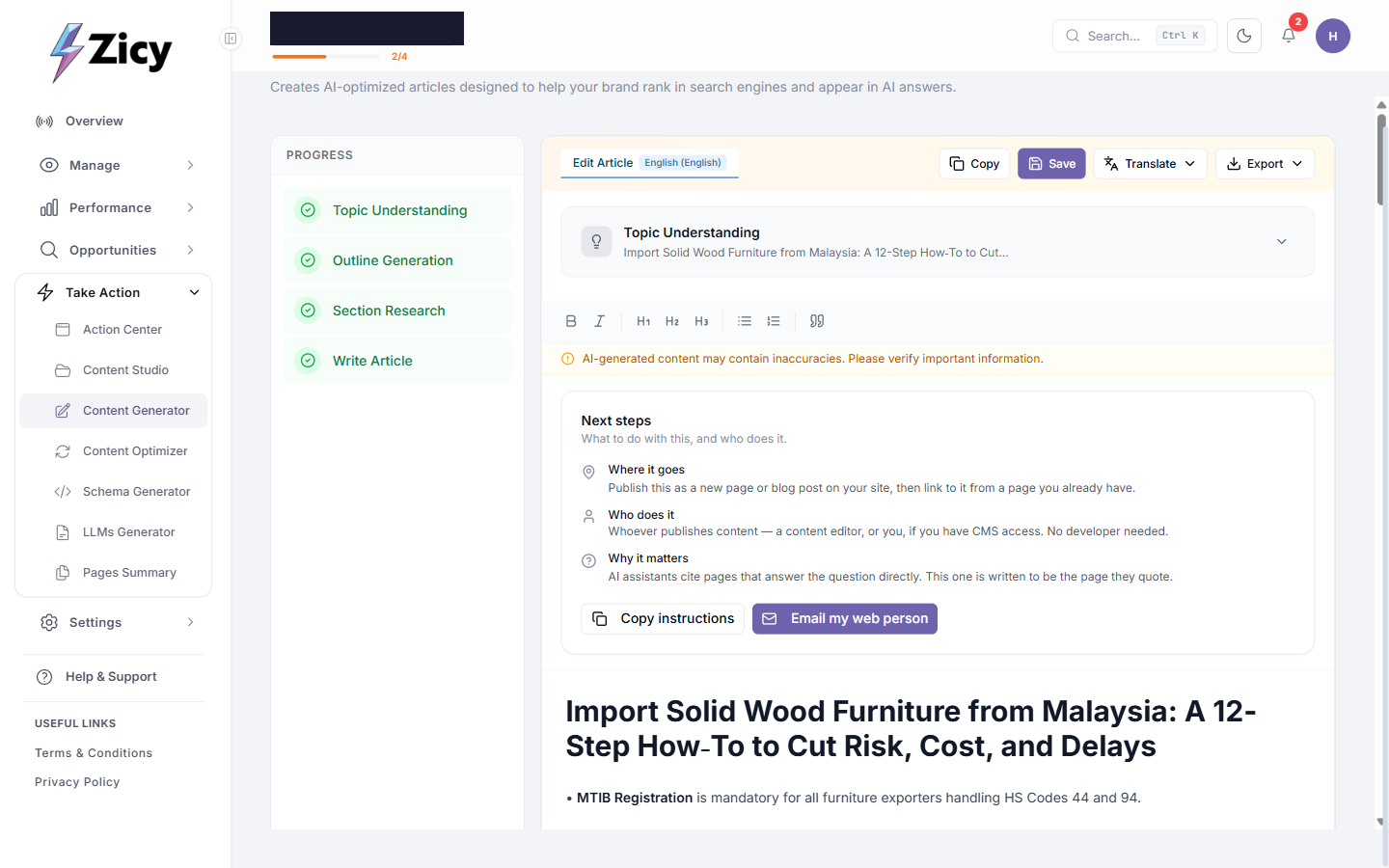
Write Article: the final draft carried the same “Next steps: where it goes / who does it / why it matters” pattern as llms.txt, plus a standing disclaimer: “AI-generated content may contain inaccuracies. Please verify important information.”
Every article is a draft to publish yourself. Zicy never touches a live site.
Step 6: Brand Intelligence: catch what AI gets wrong about you
Section titled “Step 6: Brand Intelligence: catch what AI gets wrong about you”This module answers the exporter’s real fear: not “am I mentioned,” but “is AI telling buyers the wrong thing about us.” In Brand Intelligence → Run Analysis, Zicy pre-filled most of the setup form from the brand profile (offerings, aliases, location). The auto-detected Company Size was confirmed, at least one named competitor was added, and the analysis ran, taking around five to seven minutes and querying ChatGPT, Gemini, Perplexity, and Google AI Mode.
The completed report for this exporter returned an AI Perception Score of 70%, a Coverage Score of 80%, and an Alignment Score of 63%. The Perception Summary was the clearest, most specific output in the whole product:
“WHAT AI THINKS YOU’RE KNOWN FOR: AI platforms know Meridian Wood Furniture as a Malaysian manufacturer and global exporter of solid wood, particularly rubberwood, home furniture for dining, living, and bedrooms, with a focus on contemporary, space-saving designs and B2B/OEM capabilities.
WHAT AI IS MISSING OR GETTING WRONG: AI misses the ‘family-run’ aspect and largely misinterprets the ‘direct to consumer’ element, portraying the brand almost exclusively as B2B. Google AI Mode also incorrectly identifies it as a commercial furniture supplier. Crucially, specific named competitors are not surfaced, and one offering (Kitchen furniture) is entirely absent.“
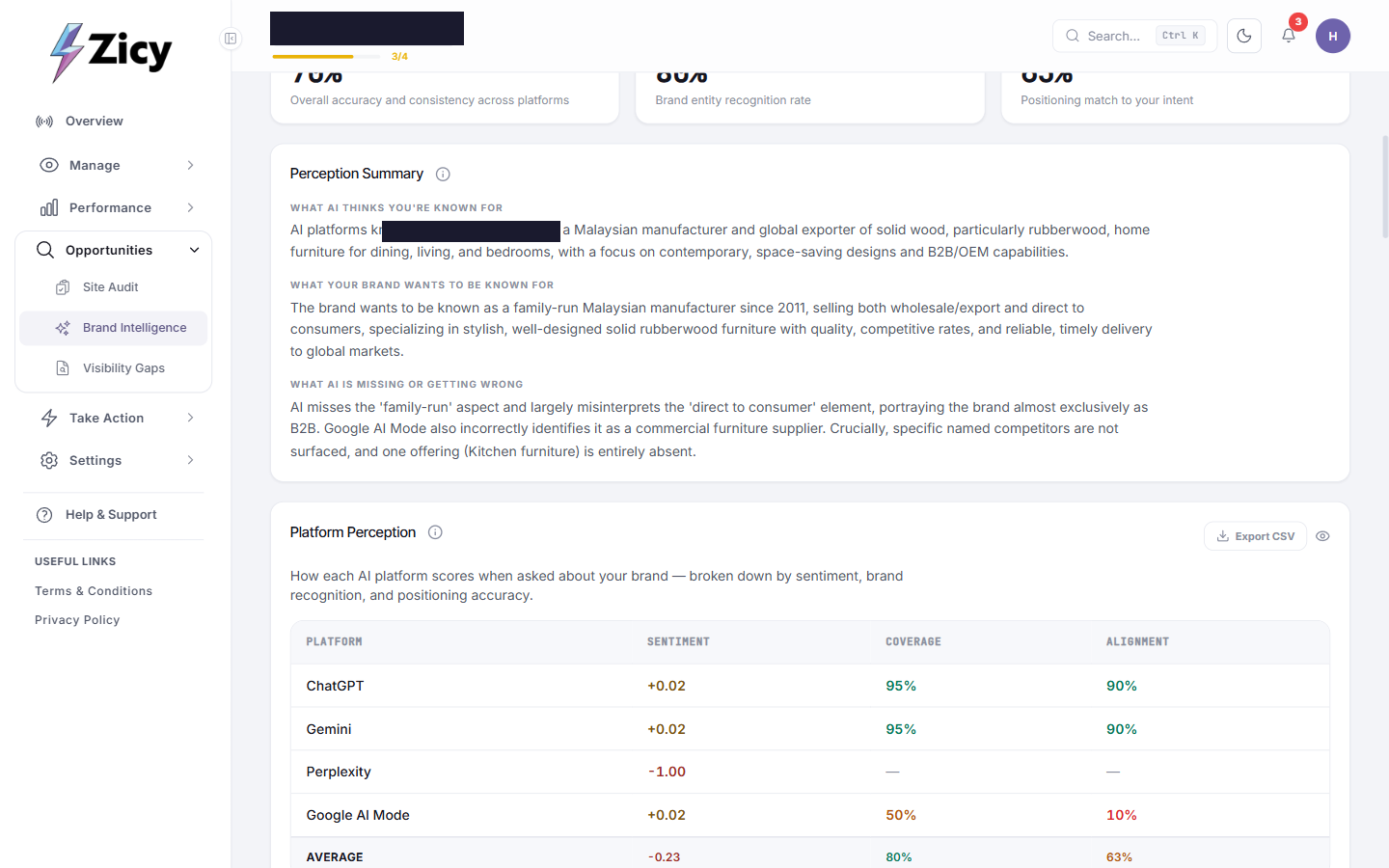
That is the exact problem a dual B2B/B2C manufacturer needs caught early: AI had quietly erased the entire consumer side of the business. The Platform Perception table broke this down per engine: ChatGPT and Gemini both scored 90%+ coverage and alignment, while Google AI Mode scored only 10% alignment, the specific source of the “commercial supplier” misclassification.
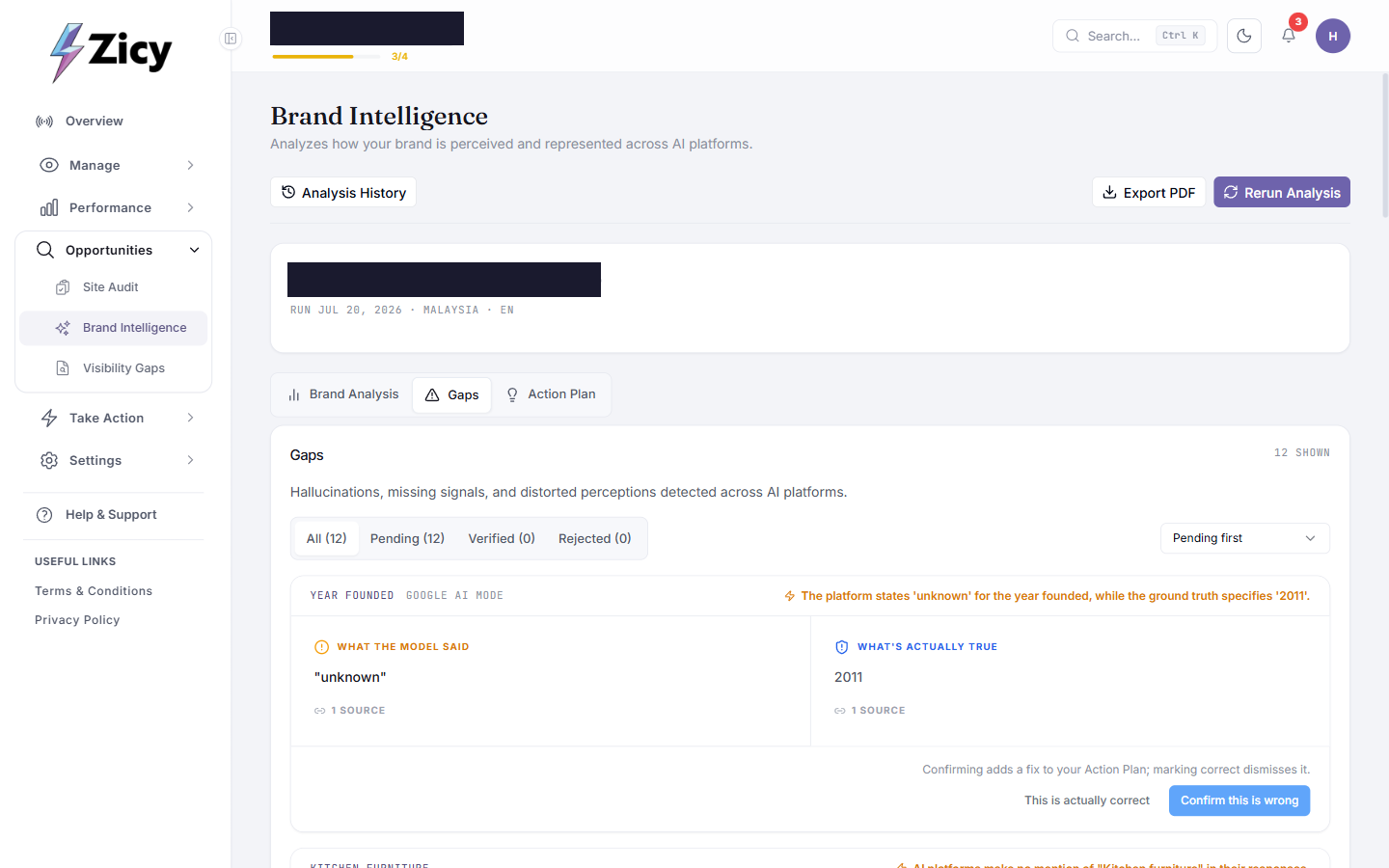
The Gaps tab is the fact-check triage layer. It found 12 gaps for this exporter, each with a “what the model said” versus “what’s actually true” comparison and a source count, for example: Year Founded (Google AI Mode): the model said “unknown,” ground truth is “2011,” 1 source. Each gap can be confirmed as wrong, which adds a fix to the Action Plan, or marked correct, which dismisses it.
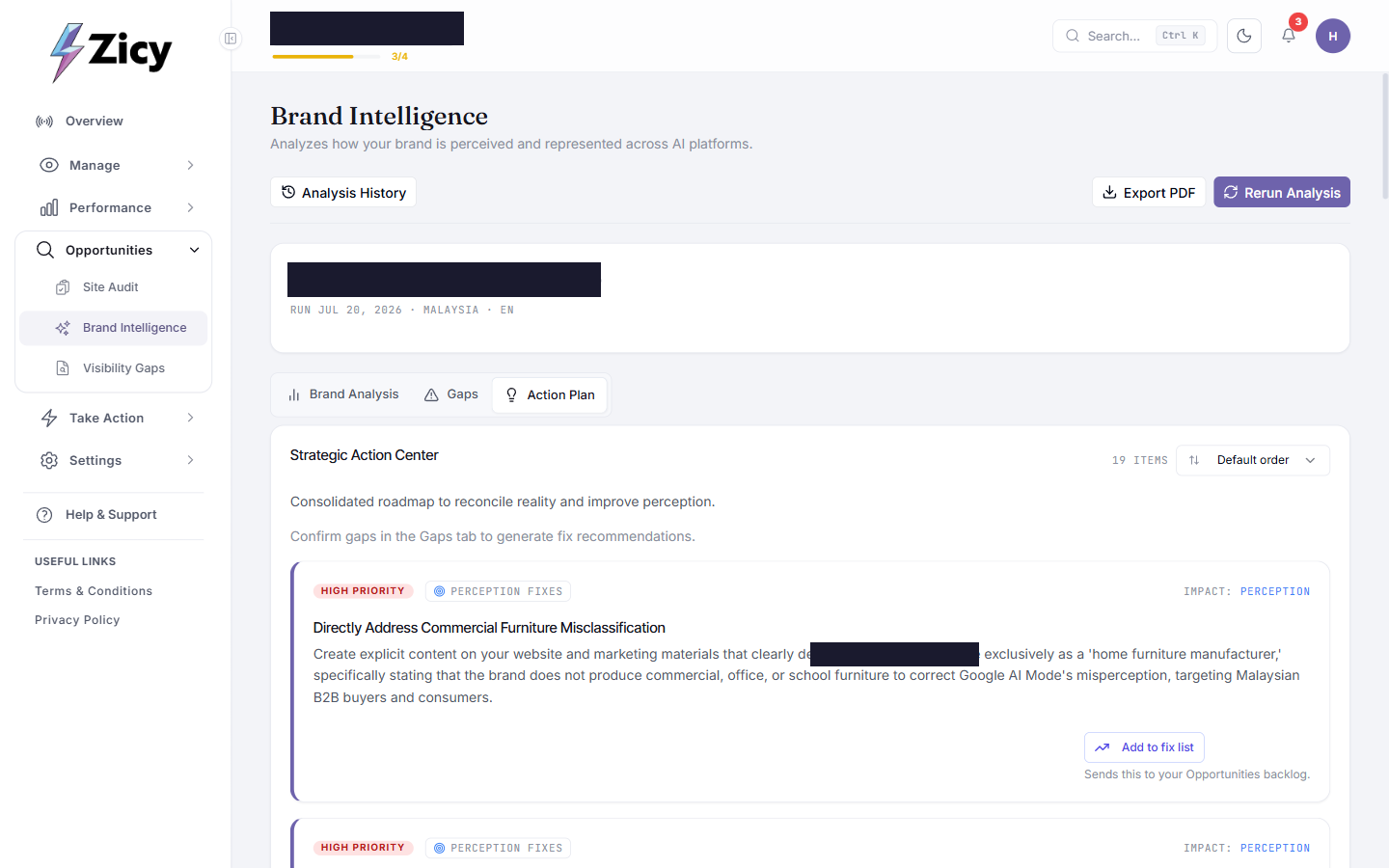
The Action Plan tab turns every confirmed gap into a specific, written fix. This run generated 19 items. The top one: “Directly Address Commercial Furniture Misclassification — Create explicit content on your website and marketing materials that clearly defines Meridian Wood Furniture exclusively as a ‘home furniture manufacturer,’ specifically stating that the brand does not produce commercial, office, or school furniture to correct Google AI Mode’s misperception, targeting Malaysian B2B buyers and consumers.” One click on “Add to fix list” sent it straight to the Opportunities backlog.
What’s next
Section titled “What’s next”- Site Traffic (“Prove”) connects GA4/Search Console once you are ready to see whether AI visibility is turning into real visits and inquiries.
- Re-run Brand Intelligence periodically (there is a one-click Rerun Analysis), especially after acting on Action Plan items, to confirm AI’s perception actually shifted.
- For the companion walkthrough covering a hyperlocal business instead of an exporter, see the local shops walkthrough.