Setting Up Zicy for the First Time
Who this guide is for: anyone starting a free trial or opening Zicy for the first time. No technical knowledge needed. Total time: about 15 minutes of your effort, then Zicy works in the background.
What you’ll have at the end: your brand set up, your first tracked questions running across five AI platforms, and a dashboard that fills up with your first results within about 30 minutes.
Throughout this guide we follow Sarah, a marketing manager at MenuPilot, a company that makes AI menu software for restaurants. Every screenshot shows her setup — your screens will look the same with your own brand’s details.
Step 1 — Create your account
Section titled “Step 1 — Create your account”Go to app.zicy.com/register and sign up with your work email. The free trial lasts 7 days and doesn’t ask for a credit card.
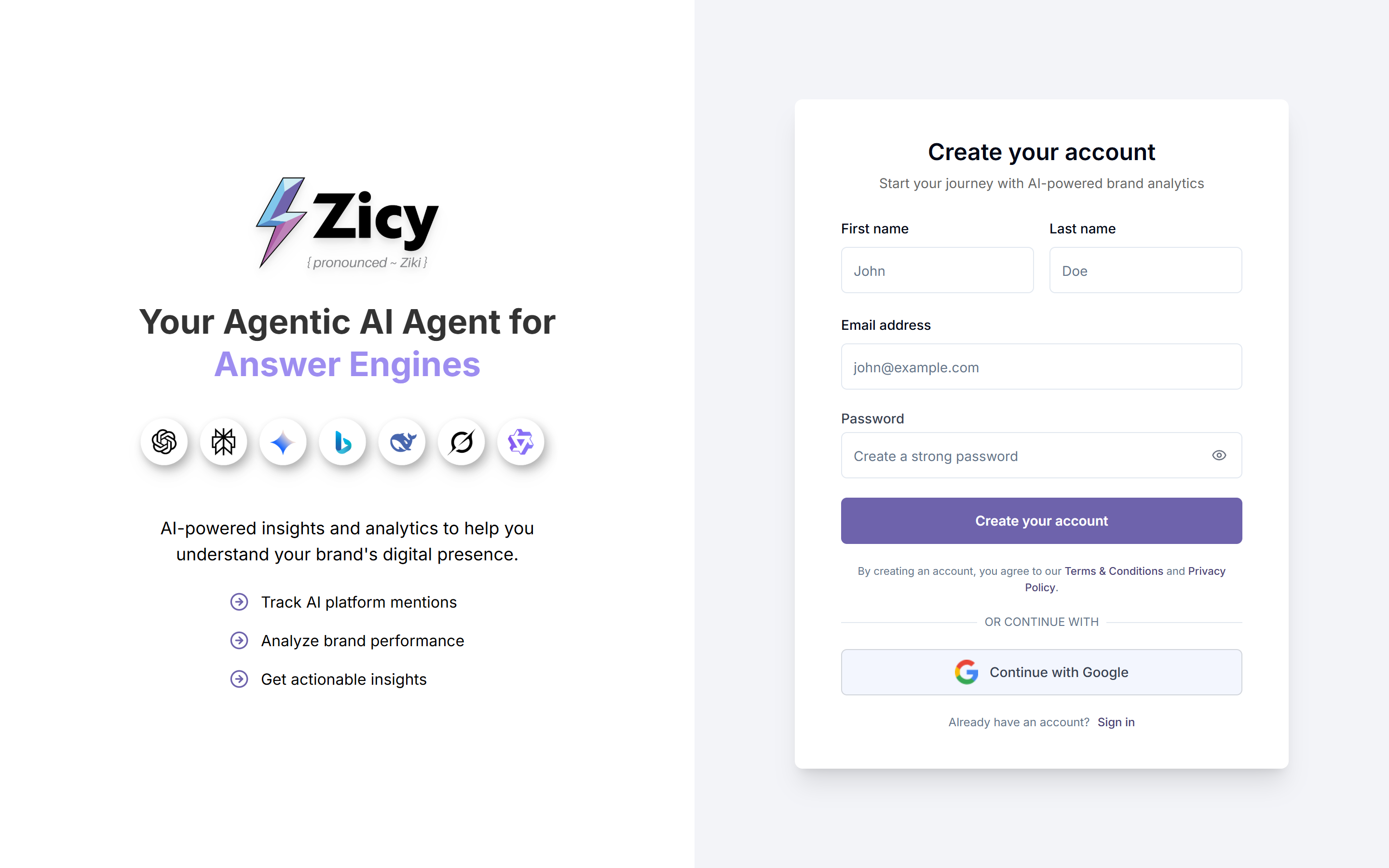
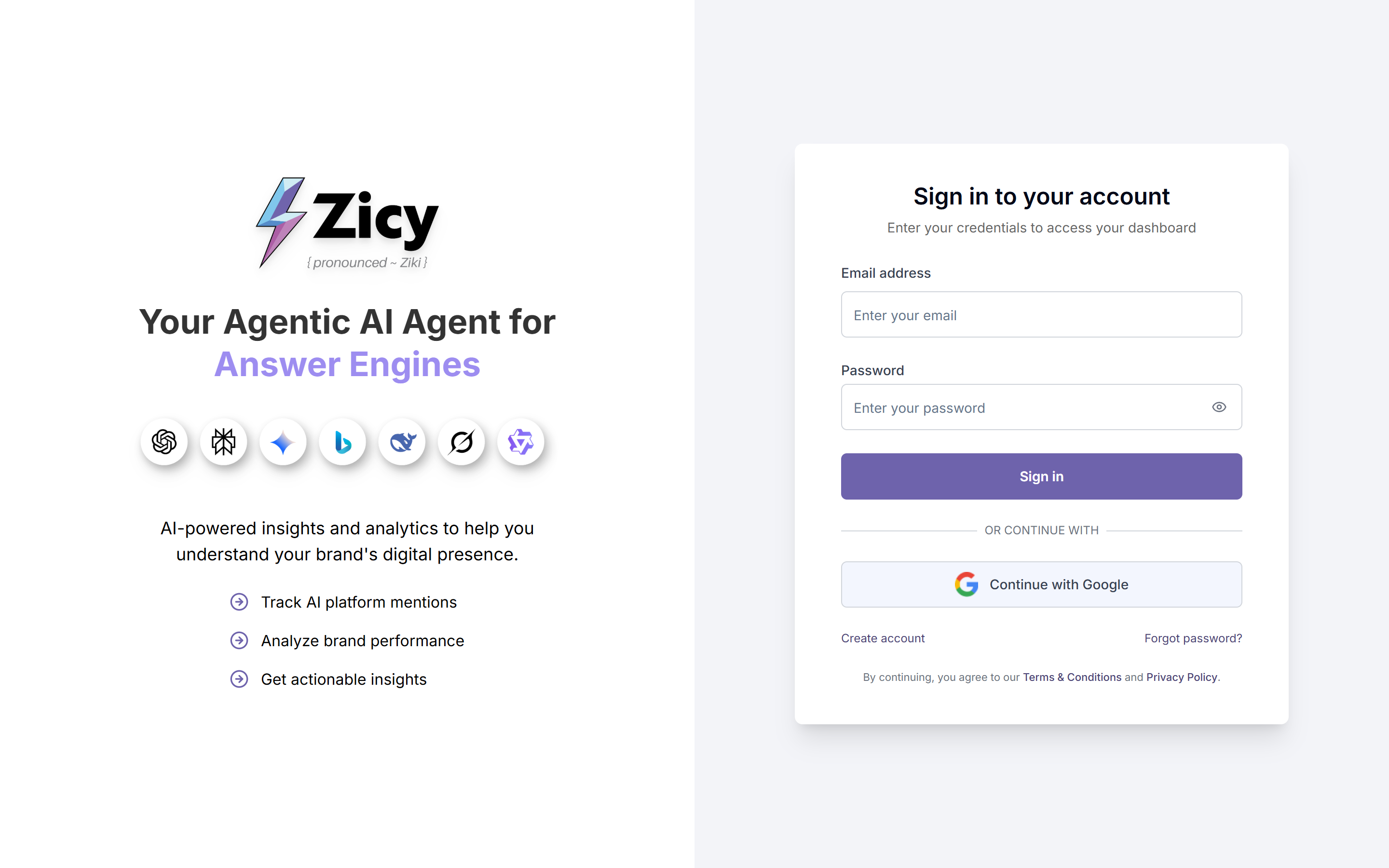
Already have an account? Go to app.zicy.com/login instead and sign in with your email and password (or “Continue with Google”). Forgotten your password? Use the Forgot password? link on that page.
Once you confirm your email, you’ll land inside the app, ready to set up your first brand.
Step 2 — Create your brand profile (the shortcut: paste your website)
Section titled “Step 2 — Create your brand profile (the shortcut: paste your website)”Zicy needs to know who you are before it can check what AI says about you. That’s what a brand profile is: your company’s name, website, industry, and goals, all in one place.
Click Create New Brand Profile and you’ll see one simple box asking for your website address.
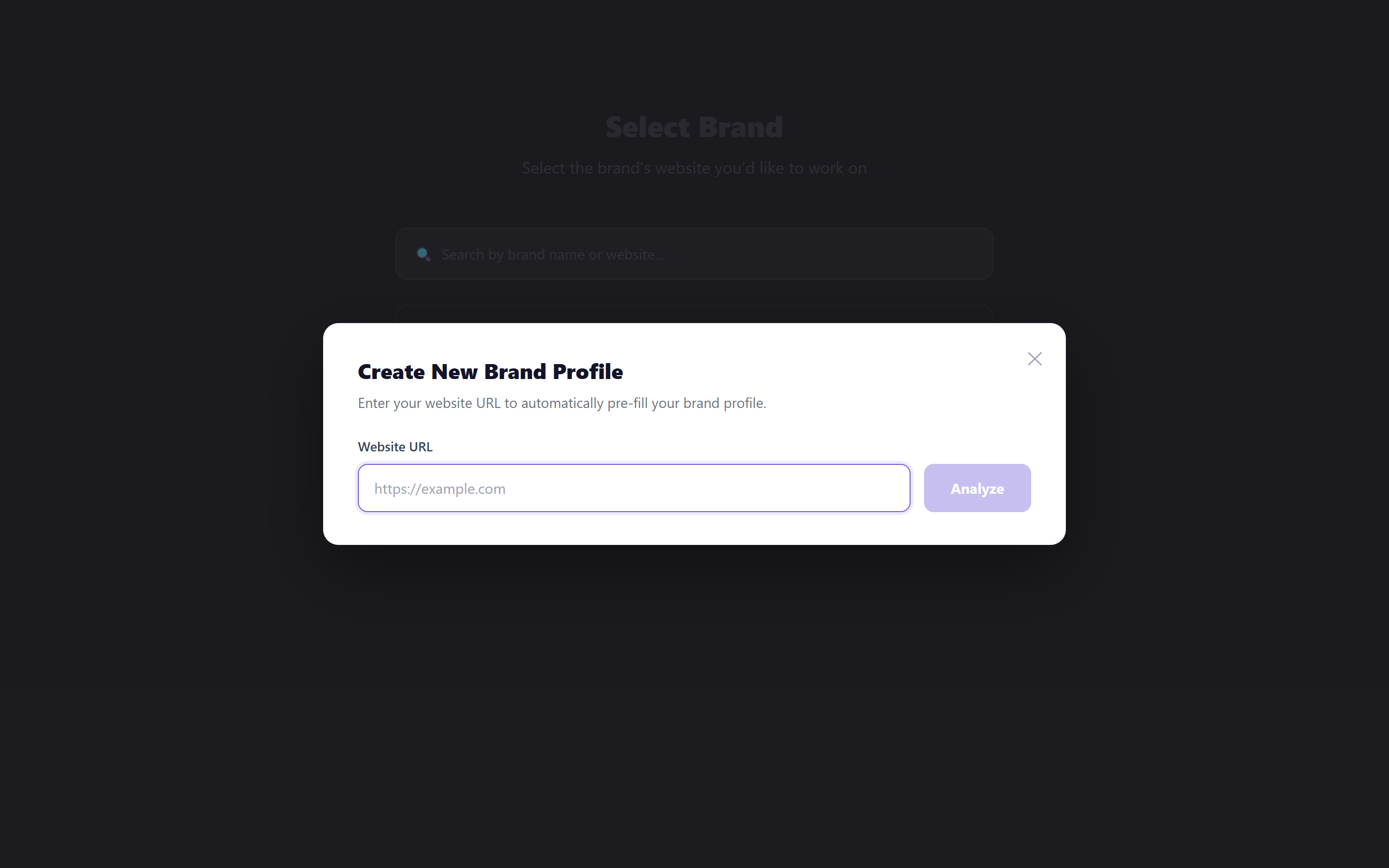
Paste your website address and click “Analyze.” Zicy reads your site and fills in the full profile form for you — your brand name, name variations, industry, products, and goals. If the address you paste redirects somewhere else, Zicy stops and asks you to confirm the destination first, so it never quietly analyzes the wrong company.
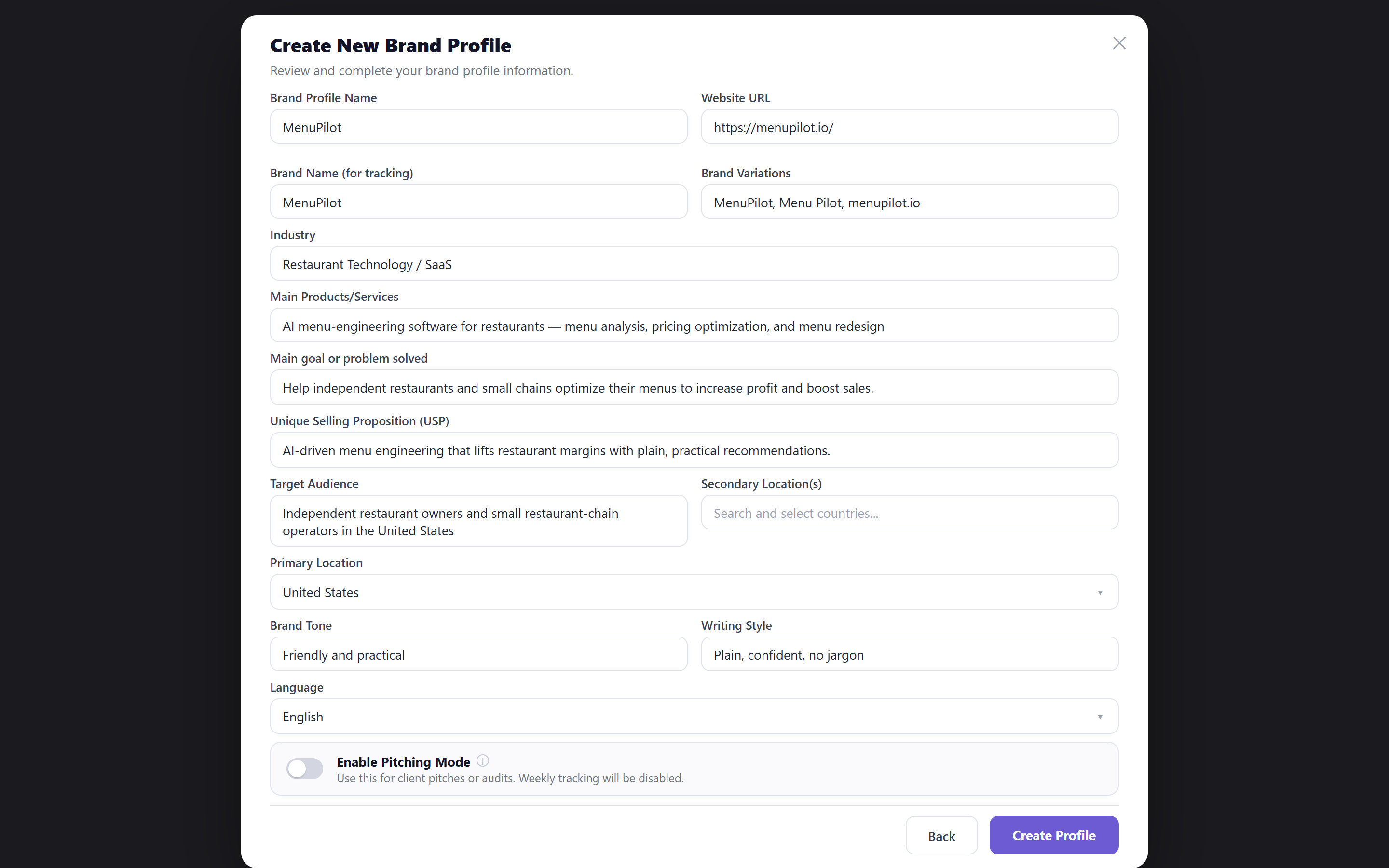
Check every field before saving. The auto-fill is a head start, not a final answer. Three fields deserve extra attention:
- Brand Name for tracking — this is the exact name Zicy will look for inside AI answers. Make sure it’s how AI would actually write your name.
- Brand Variations — add every way your name gets written (with spaces, without, your domain). More variations = fewer missed mentions.
- Primary Location — the country dropdown. It starts on “Select primary location,” so pick the country where your customers are. If you skip it or set it wrong, your tracked questions will be asked about the wrong market.
When everything looks right, click Create Profile. Your new brand then appears in your brand list, which shows a small status signal next to each brand so you can see at a glance whether its setup is complete or still needs attention.
Step 3 — Set up your tracked prompts (the questions AI gets asked)
Section titled “Step 3 — Set up your tracked prompts (the questions AI gets asked)”A tracked prompt is a question Zicy asks the AI platforms on your behalf — the kind of question a real buyer would type, like “best AI menu software for restaurants.” Zicy then records whether the answer mentions you, where you rank, and who gets recommended instead. It re-asks these questions daily so your results build into a trend over time.
The fastest start: open Prompt Manager and use the smart prompt generator. It reads your brand profile and writes about 10 buyer-style questions for you.
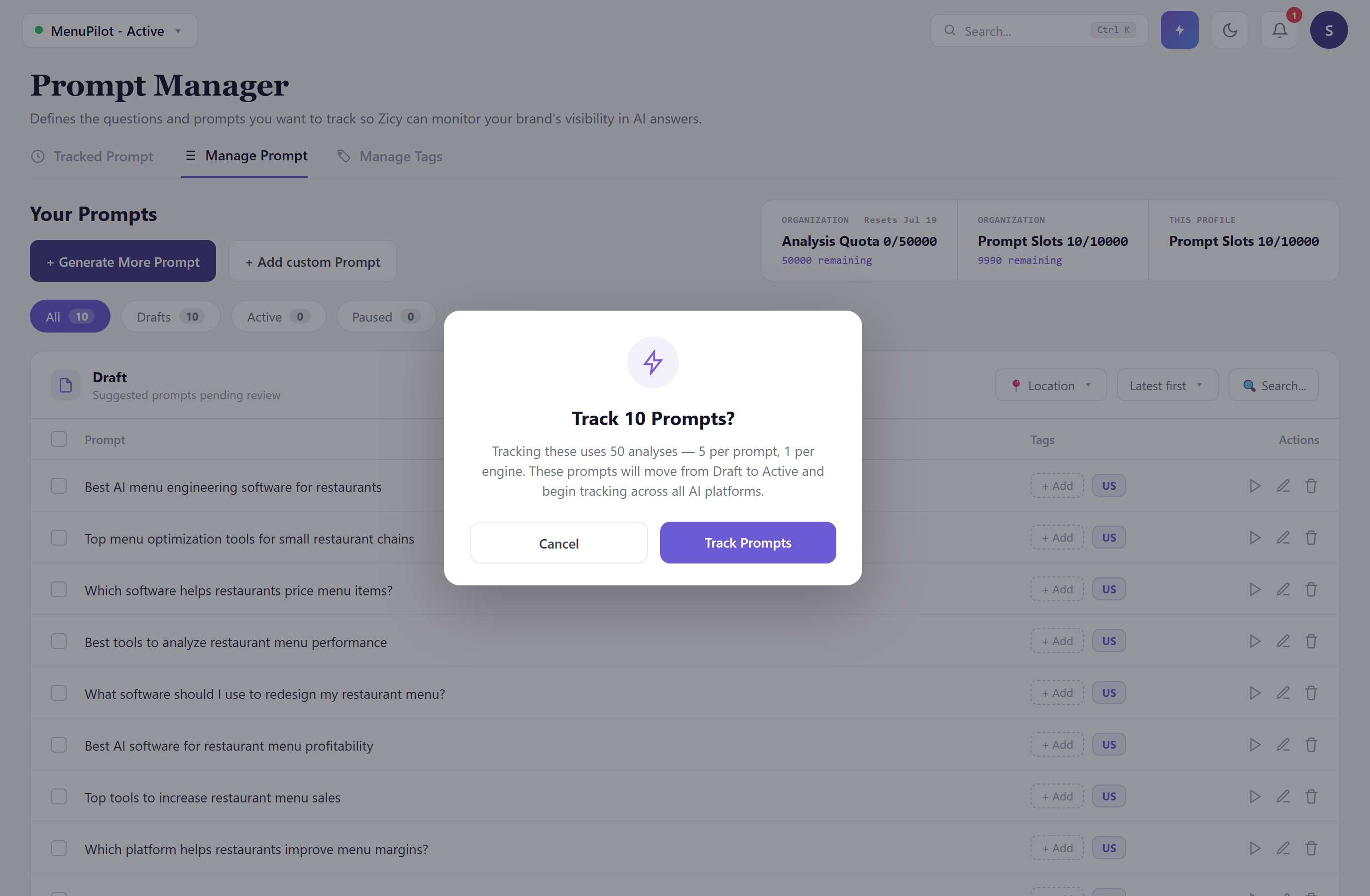
Two things to know before you activate:
- Good prompts never contain your own brand name. If the question already says “MenuPilot,” of course the answer will mention MenuPilot — that tells you nothing. Zicy measures whether AI recommends you unprompted. (More on writing great prompts in our guide: How to write tracked prompts that actually work.)
- Activating uses quota. You’ll see a confirmation like “Track 10 Prompts? Tracking these uses 50 analyses — 5 per prompt, 1 per engine.” Zicy shows you the exact cost before you commit; your trial includes plenty for a full setup — click confirm.
Your prompts are reviewed and explicitly confirmed before they go active, so nothing starts tracking until you’ve said go.
Step 4 — Wait for your first results (this is normal!)
Section titled “Step 4 — Wait for your first results (this is normal!)”Right after setup, your dashboard will look mostly empty, with a message saying your prompts are being analyzed. A short guidance popup points you to what happens next, so a brand-new brand isn’t just a screen full of zeros with nothing to do.
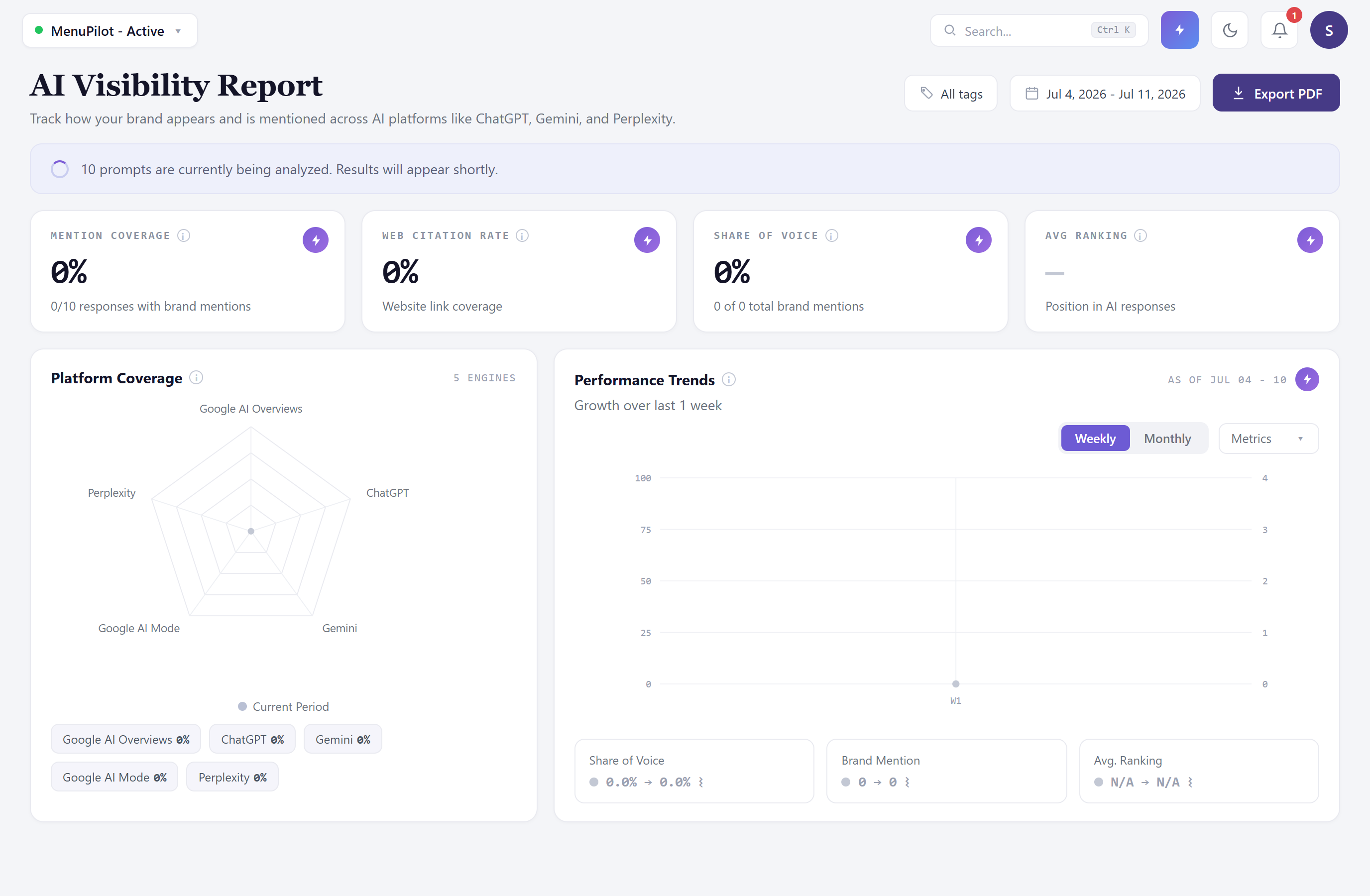
Nothing is broken. Zicy runs your questions across five AI platforms — ChatGPT, Gemini, Perplexity, Google AI Mode, and Google AI Overviews — and that first full pass usually takes about 30 minutes. Tracking then repeats daily, so each run adds a new data point to your trends.
You can close the tab and come back. There’s nothing you need to do while you wait.
Step 5 — Read your first dashboard
Section titled “Step 5 — Read your first dashboard”Within about 30 minutes, your dashboard — the screen titled AI Visibility Report — fills in with your first real numbers.
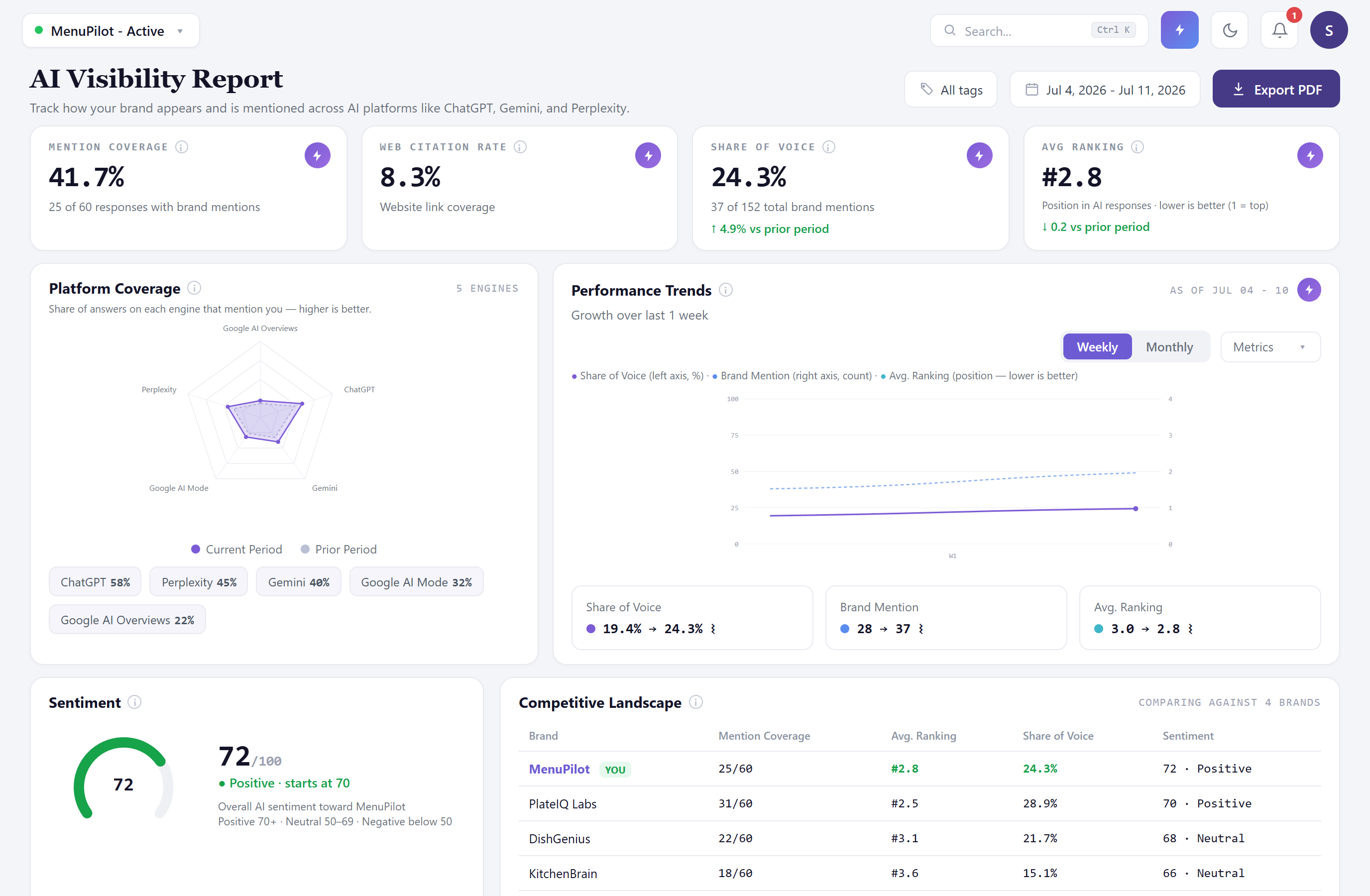
The four big numbers, in plain English:
- Brand Mention Coverage — out of all the AI answers to your questions, what percentage mentioned you at all. Sarah’s 41.7% means she was named in roughly 4 out of every 10 answers.
- Web Citation Rate — how often the answer actually linked to your website. This is usually much lower than mention coverage — being named and being linked are different wins.
- AI Share of Voice — of all brand mentions across all answers, what share were yours. Sarah’s 24.3% means about a quarter of the conversation is about MenuPilot.
- Average AI Ranking — when you appear in a list of recommendations, your average position. Lower is better: #2.8 means Sarah usually shows up second or third.
Each number carries a short definition underneath it and a benchmark chip (Good, Okay, or Needs work) so you know at a glance whether it’s healthy. The radar chart shows which of the five AI platforms mention you most — it’s normal to be strong on one and weak on another. The sentiment dial gives a quick read on whether AI talks about you positively.
The Performance Trends panel on this dashboard has a Daily / Weekly / Monthly toggle, so you can watch your numbers at whichever grain suits you — tracking itself now runs daily, and the Weekly/Monthly views just roll those days up. You can also add event markers to the trend line (Zicy adds some automatically, like “Prompts added”) to line up changes in your results with things you did.
What to do next
Section titled “What to do next”- Your numbers only mean something over time — check back regularly and watch the trend, not any single reading.
- Learn to write sharper questions: How to write tracked prompts that actually work (GS-02).
- Confused by a term? Everything is defined in the Plain-English Glossary (GS-03).
- Ready to dig into a specific screen? Every module has its own reference article in the Module Reference section.