Action Center
What this is for, in one sentence: Action Center is where diagnosis becomes shipped work — four tools that generate the files, fixes, and content the rest of the product tells you that you need, each ending with clear instructions for where its output goes and who installs it.
When to come here:
- When your Visibility Gaps backlog or Brand Intelligence action plan names a fix you can execute right now
- When you need AI-readable infrastructure — llms.txt, schema — without waiting on a development sprint to scope it
- When you need a research-backed draft to start from instead of a blank page
Priya Nair has a fix list: Brand Intelligence confirmed the facts AI gets wrong about MenuPilot, and the backlog says what the site is missing. What she doesn’t have is a developer on standby or a week to brief a writer. Action Center’s job is to collapse the distance between “we should” and “it’s done” — while keeping her in the review seat for anything that ships.
The hub: pick by job, not by jargon
Section titled “The hub: pick by job, not by jargon”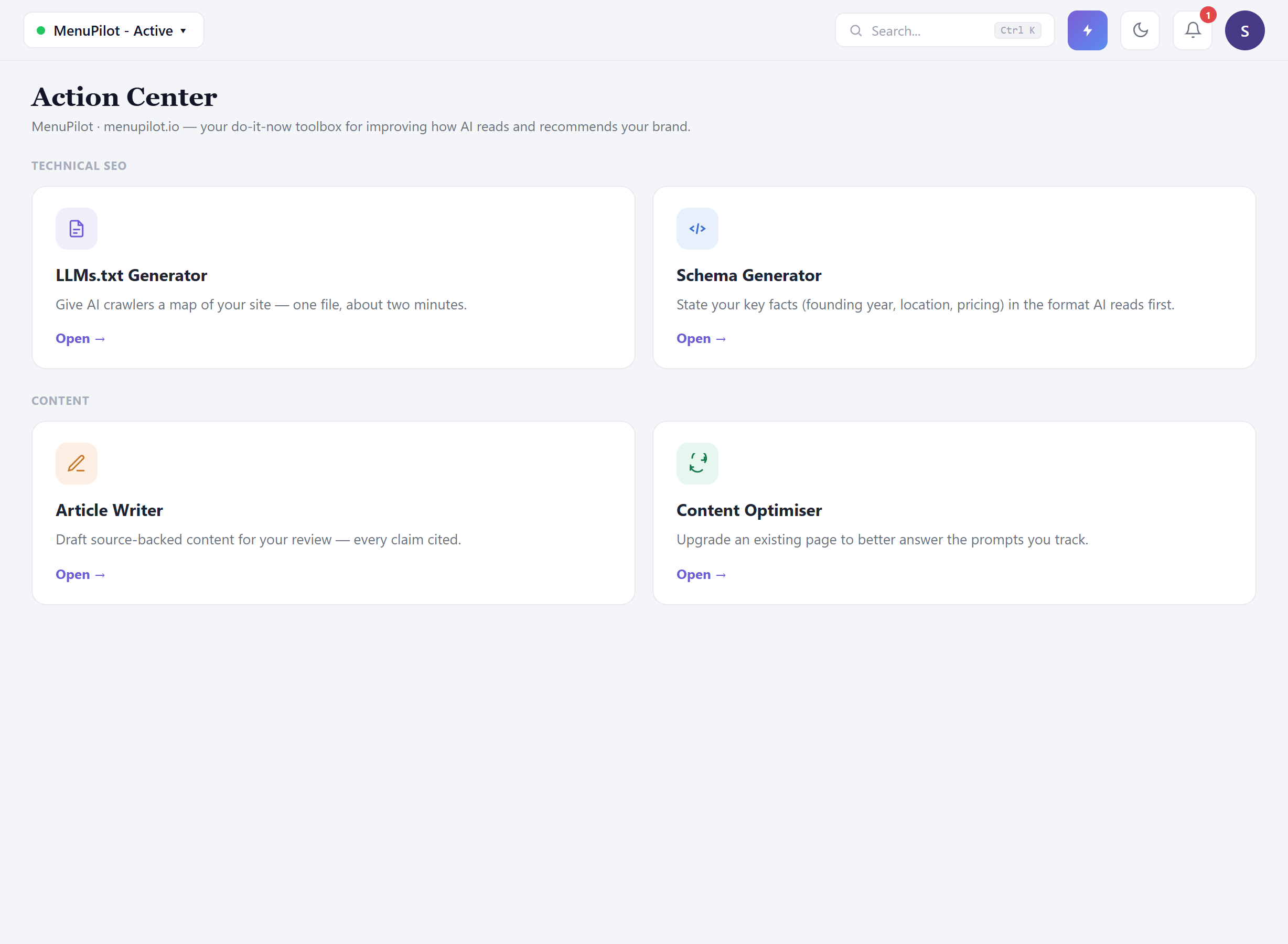 Four tools — and only four, with no “coming soon” placeholders taking up space. Each card leads with a plain sentence about what it does for you and a line telling you when to reach for it:
- LLMs.txt Generator — a map of your site for AI crawlers, produced in about two minutes. Reach for it when your Site Audit flags a missing llms.txt, or after a site change big enough to make the old map stale.
- Schema Generator — your key facts (founding year, location, pricing) stated in the machine-readable format AI checks first. Reach for it when Brand Intelligence catches AI getting a fact wrong, or when a Visibility Gaps item calls for schema.
- Article Writer — research-backed drafts for your review, with inline source citations. Reach for it when a Visibility Gaps content item or a Key Topics blind spot names a page you need to write.
- Content Optimiser — upgrades an existing page to better answer the prompts you actually track. Reach for it when the backlog flags a page that under-answers a tracked question.
A practical pairing to keep in mind: the first two are infrastructure — mostly one-time artifacts that make everything else legible to AI — while the second two are ongoing — content work you’ll return to monthly. New workspaces should do the infrastructure pair first; both directly execute items your audit and Brand Intelligence surfaced.
LLMs.txt: two minutes of work, and the hand-off that matters
Section titled “LLMs.txt: two minutes of work, and the hand-off that matters”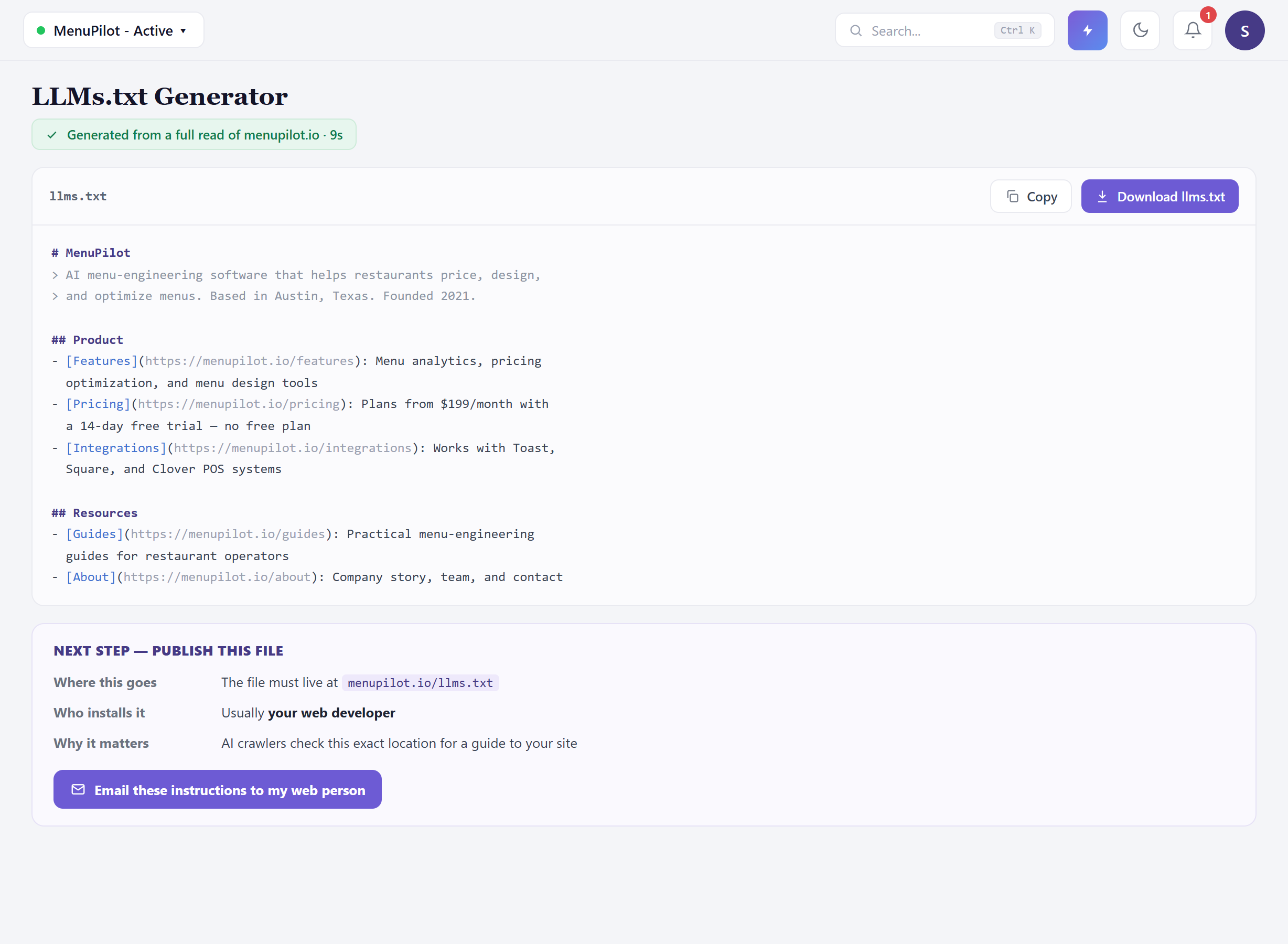 The generator reads your site and produces a complete file — every section and page listed with a real description, your key facts stated plainly, and no blank fields left where a description should be. Look at MenuPilot’s: founded 2021, Austin, plans from $199 with no free plan, Toast/Square/Clover integrations. Those exact facts are the ones Brand Intelligence caught AI getting wrong — this file is one of the fixes, stating the truth where crawlers look for it.
Then comes the part that used to stop people: now what? The answer is on the screen, in a hand-off block that spells out three things: where this goes (menupilot.io/llms.txt — that exact location), who usually installs it (your web developer), and why it matters — plus a button that emails the file with those instructions to whoever runs your site. The Copy and Download controls are labelled plainly, so you know which one puts the text on your clipboard and which saves the file. You don’t need to know how to deploy a file to get this shipped; you need to know who does, and the tool handles the briefing.
The Schema Generator works the same way for structured data: it produces the Organization markup with your verified facts, and the same hand-off block — where it goes, who installs it, why — routes it to the person who can paste it in. If your Visibility Gaps list has a “complete your schema” item — MenuPilot’s does — this is that item, executed.
Honest guidance — llms.txt and schema are necessary, not sufficient. These files make you legible to AI; they don’t make you preferred. Expect them to support accuracy (fewer wrong facts) and crawl quality, then measure citation and coverage movement over following periods — not overnight.
Article Writer: research mode, kept in review
Section titled “Article Writer: research mode, kept in review”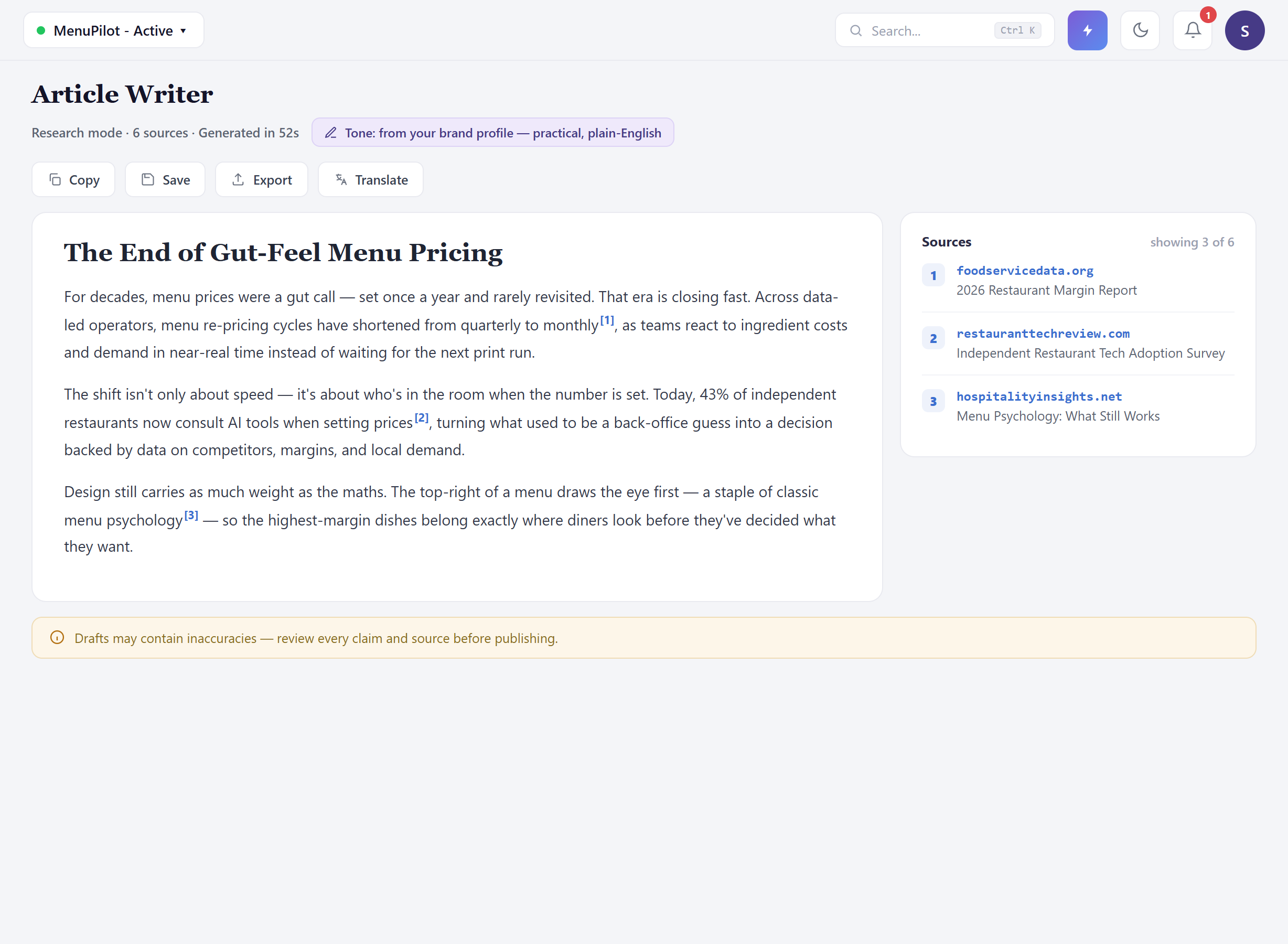 The writer runs in research mode: it gathers sources first, then drafts, and it can attach inline citations to the claims it makes — click a marker and it resolves to a named source in the side panel. In MenuPilot’s draft you can see this at work on the re-pricing trend, the adoption statistic, and the menu-psychology point. Treat the citations as a strong starting point rather than a guarantee: source attribution isn’t yet applied to every claim in every mode, so your review has to check that the numbers you keep are the ones actually backed by a source you’d stand behind. A longer generation shows its progress and an expected duration while it works, so you’re not left staring at a blank screen wondering whether it stalled.
Three things make this usable for a PR or content team rather than risky:
The tone is yours before you start. The writer pre-fills from your brand profile — MenuPilot’s draft arrives practical and plain-English, matching the voice AI already associates with the brand, because reinforcing your existing descriptors is cheaper than fighting them (see Brand Sentiment).
Review is the workflow, not a suggestion. The disclaimer on the screen means what it says. The professional loop: read every claim, check each source, replace or delete anything that isn’t backed or that you wouldn’t defend, then move it into your normal editorial process via the labelled Copy or Export controls. The tool drafts; your team owns the byline.
Cited content is the format you want to be quoted in. A published piece whose claims are backed by real sources is exactly the kind of content AI platforms cite in turn — so the more of the draft you can stand behind and source properly, the better it feeds the loop this tool exists to serve: citable content → citations → coverage (see Citation Analysis).
Honest guidance — a source is only as good as you’d defend it. The writer finds sources, but it’s on you to confirm each one supports the claim and comes from somewhere you’d stake your name on — and to source anything the draft states without a citation before you publish it. Treat the source panel as a checklist, not a clearance. Five minutes of source review is the difference between content marketing and a correction.
Honest guidance — don’t mass-generate. Content generation consumes Content Credits, and ten mediocre unreviewed drafts do less for your visibility than two reviewed, published, well-sourced pieces. Generate against specific targets — a Visibility Gaps content item, a Key Topics blind spot — not on inspiration.
Common questions
Section titled “Common questions”What happens to a draft after Export? It leaves the tool and enters your normal workflow — CMS, Google Docs, wherever your editorial process lives. Zicy measures the results once it’s published and crawled; it doesn’t publish for you.
Who should review generated drafts? Whoever owns the claim if it’s wrong. For thought leadership, that’s usually the named author plus whoever manages brand voice; for product-adjacent content, someone who can verify the product facts. Where the draft cites a source, that speeds the check — but every claim still needs an owner who has read it.
Does the writer know our positioning? It starts from your brand profile — tone, descriptors, key facts — which is why keeping the profile current matters. It doesn’t know your unreleased roadmap or legal constraints; that’s the review layer’s job.
We already have llms.txt — should we regenerate it? Regenerate after meaningful site changes (new sections, pricing changes, rebrands), and any time your verified facts change. It’s a two-minute artifact; stale is the only bad state.
Can my web person be emailed the fix directly? Yes — the hand-off block on every generated artifact includes an email action that sends the output with plain installation instructions. Your job is picking the recipient and following up.
What to do next
Section titled “What to do next”- Visibility Gaps — the backlog these tools execute; work it top-down.
- Brand Intelligence — the facts your llms.txt and schema must state; confirm gaps there first.
- Citation Analysis — where source-backed publishing shows up as owned citations.
- Site Traffic — the final proof that shipped fixes became visits.